Description
A financial management toolkit that shows the working, not just the answer
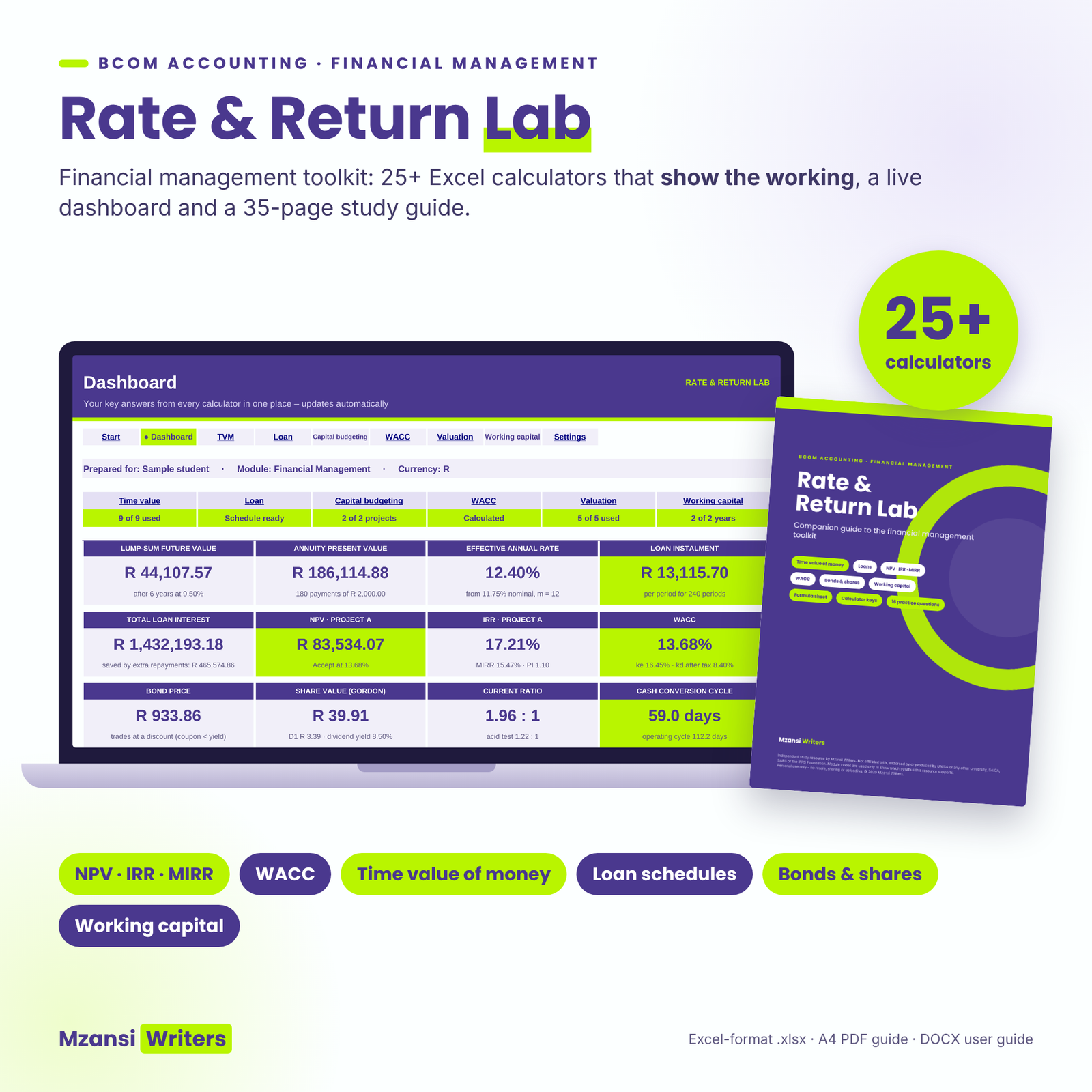
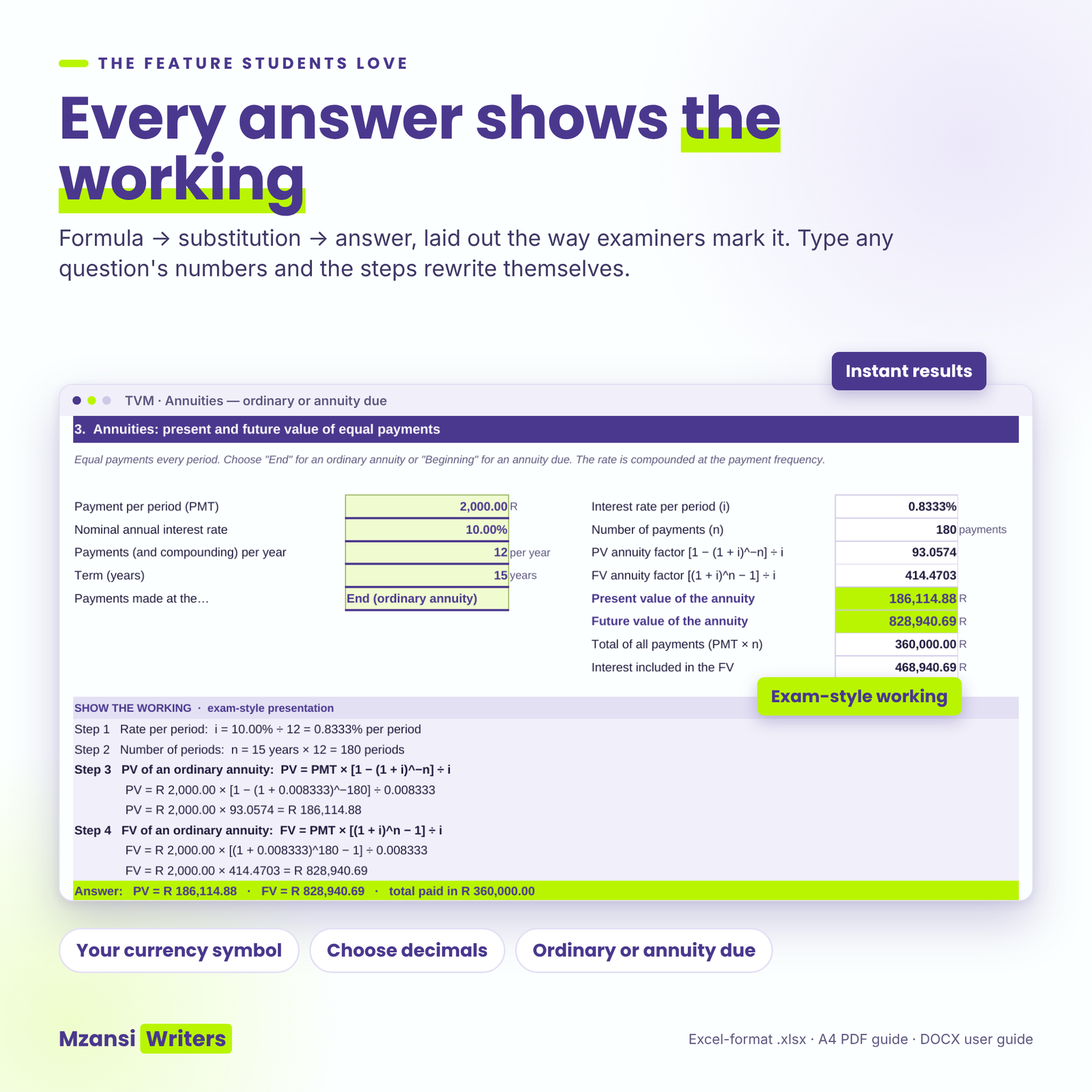
Rate & Return Lab is a financial management toolkit for South African BCom Accounting, BCompt and BAcc students. Type the numbers from any question into the Excel-format workbook and it calculates the answer and writes out every step – formula, inputs, substitution and answer – in the order markers expect to see it. A 35-page companion guide explains the theory, gives you a two-page formula sheet and lets you practise with 16 original questions.
Most calculators give you a number. Most study notes give you theory. This toolkit connects the two, so you can check your homework, find exactly where your own working went wrong and walk into tests knowing how a full-marks answer is laid out.
Who it is for
- Second- and third-year students in financial management modules, for example UNISA FIN2601, FIN3701, FIN3702, MAC2602 and MAC3702, or Financial Management 2 and 3 at other South African universities.
- BCom Finance, Investment Management and Business Management students who use time value of money, NPV or WACC.
- Tutors who need quick, checked model answers.
What the workbook does
Time value of money (9 calculators)
Future and present value of a single amount, annuities (ordinary and annuity due), the payment needed for a sinking fund or loan, level and growing perpetuities, nominal to effective rates (including continuous compounding), effective to nominal, and solving for the interest rate or the time needed.
Loan amortisation schedule
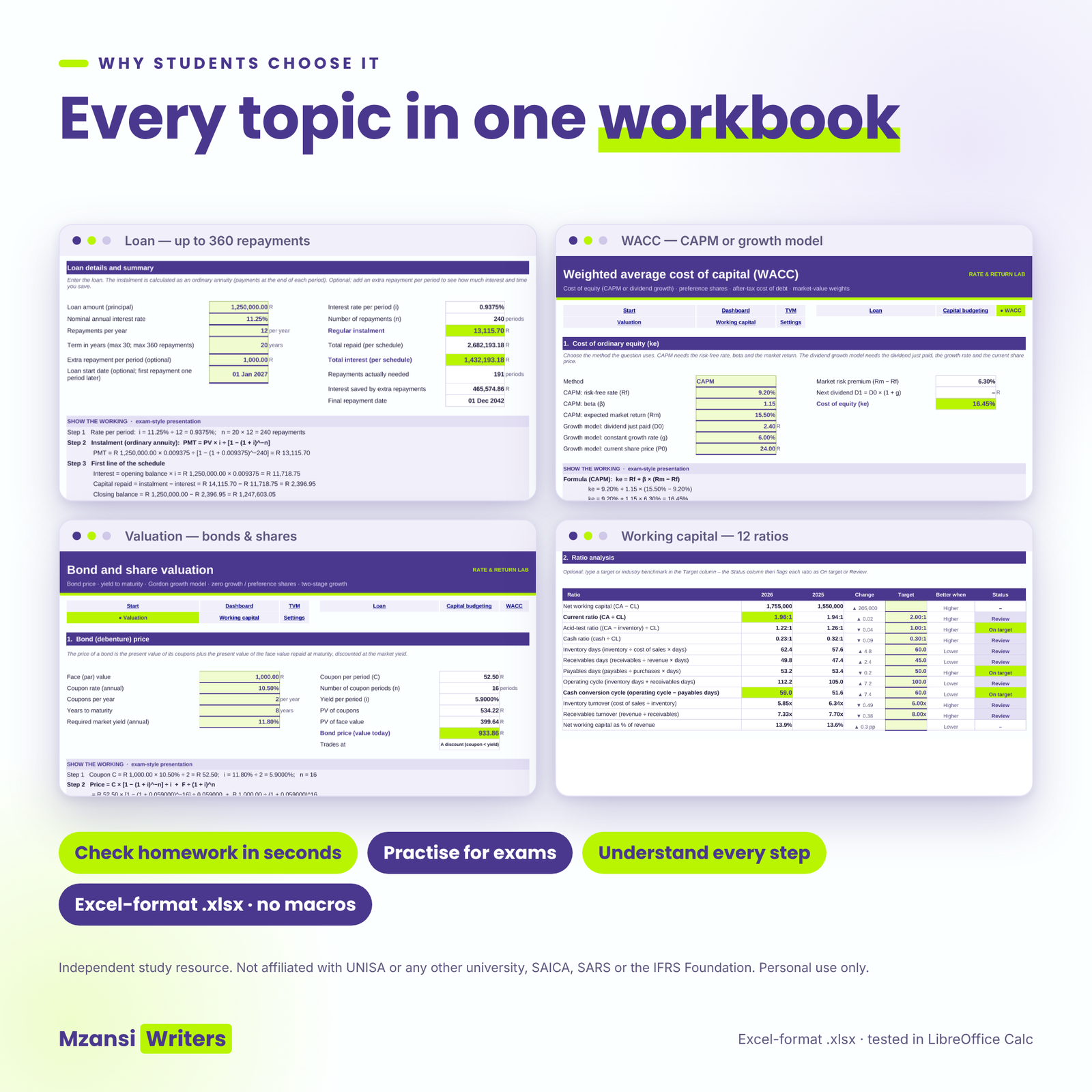
Instalment, interest and capital split and a full schedule for up to 360 repayments, with repayment dates, an optional extra repayment, interest and time saved, a year-by-year summary and two charts.
Capital budgeting: NPV, IRR, MIRR and more
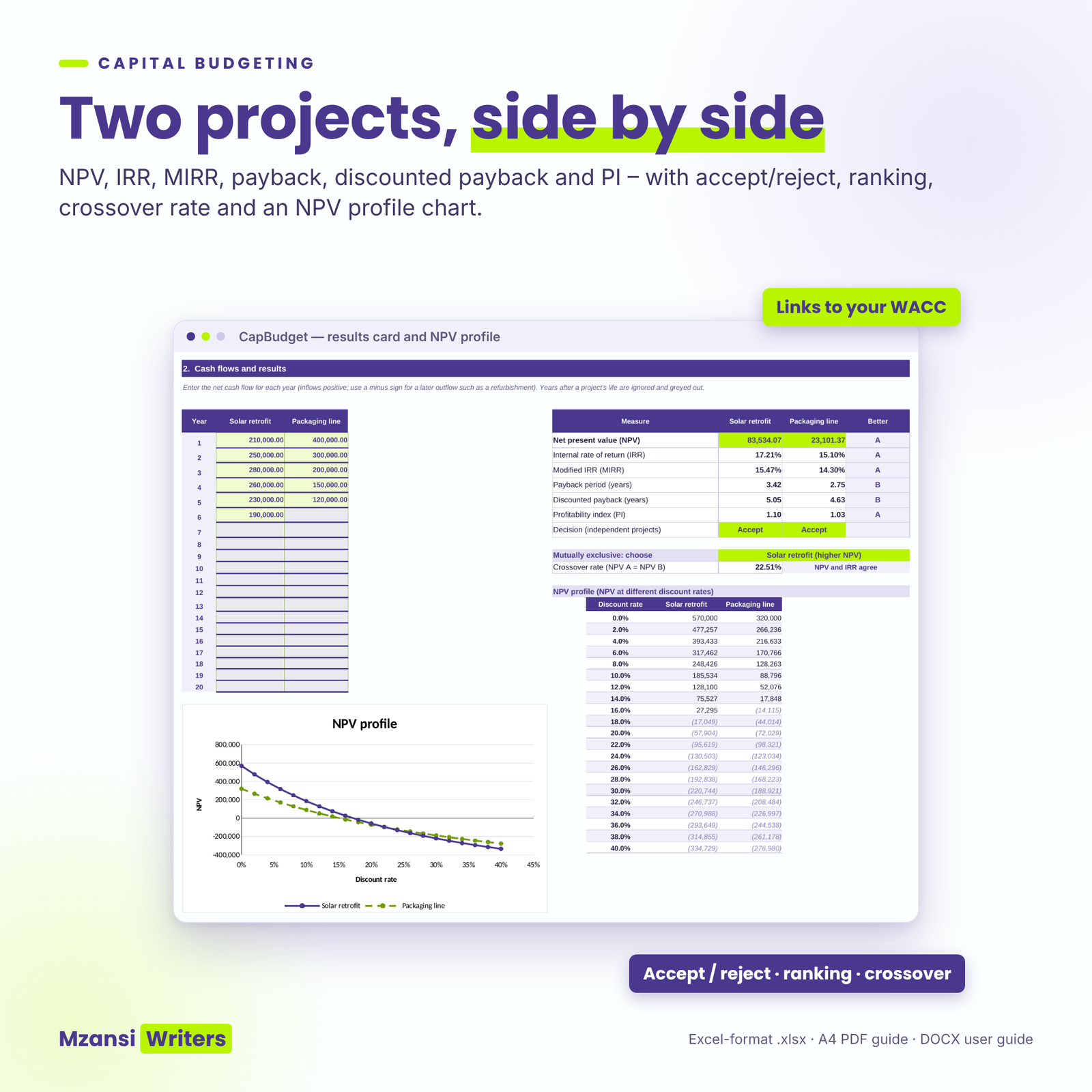
Compare two projects side by side: NPV, IRR, MIRR, payback, discounted payback and profitability index, with accept/reject decisions, the preferred project for mutually exclusive choices, the crossover rate and an NPV profile chart. The working shows the discount-factor table, IRR by interpolation, MIRR, both payback calculations and a conclusion. Link the discount rate straight to your WACC with one dropdown.
WACC calculator
Cost of equity with CAPM or the dividend growth model, cost of preference shares, after-tax cost of debt (your rate or the bond YTM) and market-value weights. The 27% South African company tax rate for 2026/27 is the default, and you can change it.
Bond and share valuation
Bond price and premium/discount, yield to maturity (exact and the exam approximation), current yield, the Gordon growth model, zero-growth and preference shares, and the two-stage (supernormal) growth model with a dividend table.
Working-capital ratios
Twelve liquidity and efficiency ratios for two years, including inventory, receivables and payables days, the operating cycle and the cash conversion cycle. Add your own targets and each ratio is flagged “On target” or “Review”.
Dashboard and settings
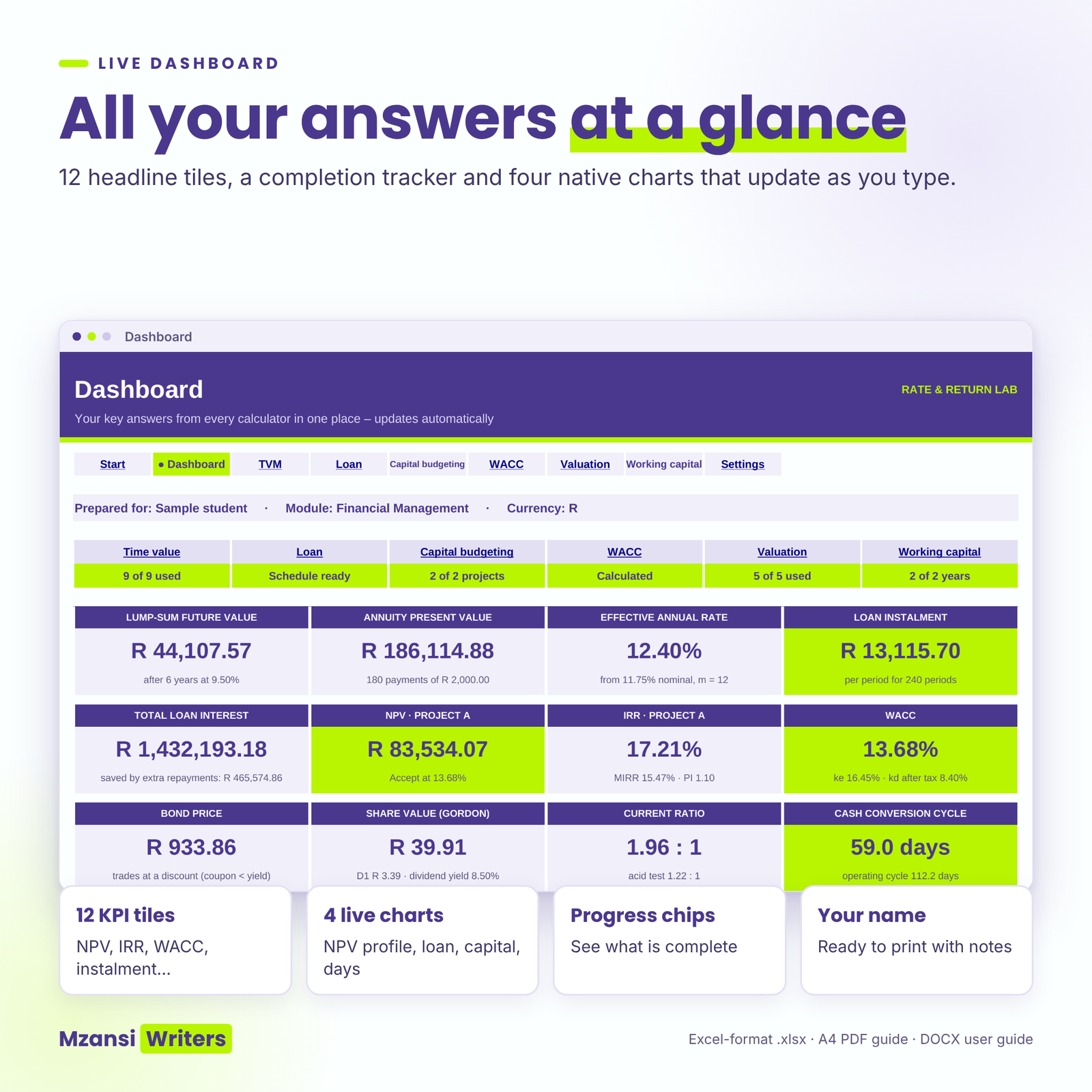
A dashboard with 12 headline answers, a completion tracker and four live charts. One currency setting (R by default) controls every money label, and you choose how many decimals the working shows for amounts, rates and factors.
What is included
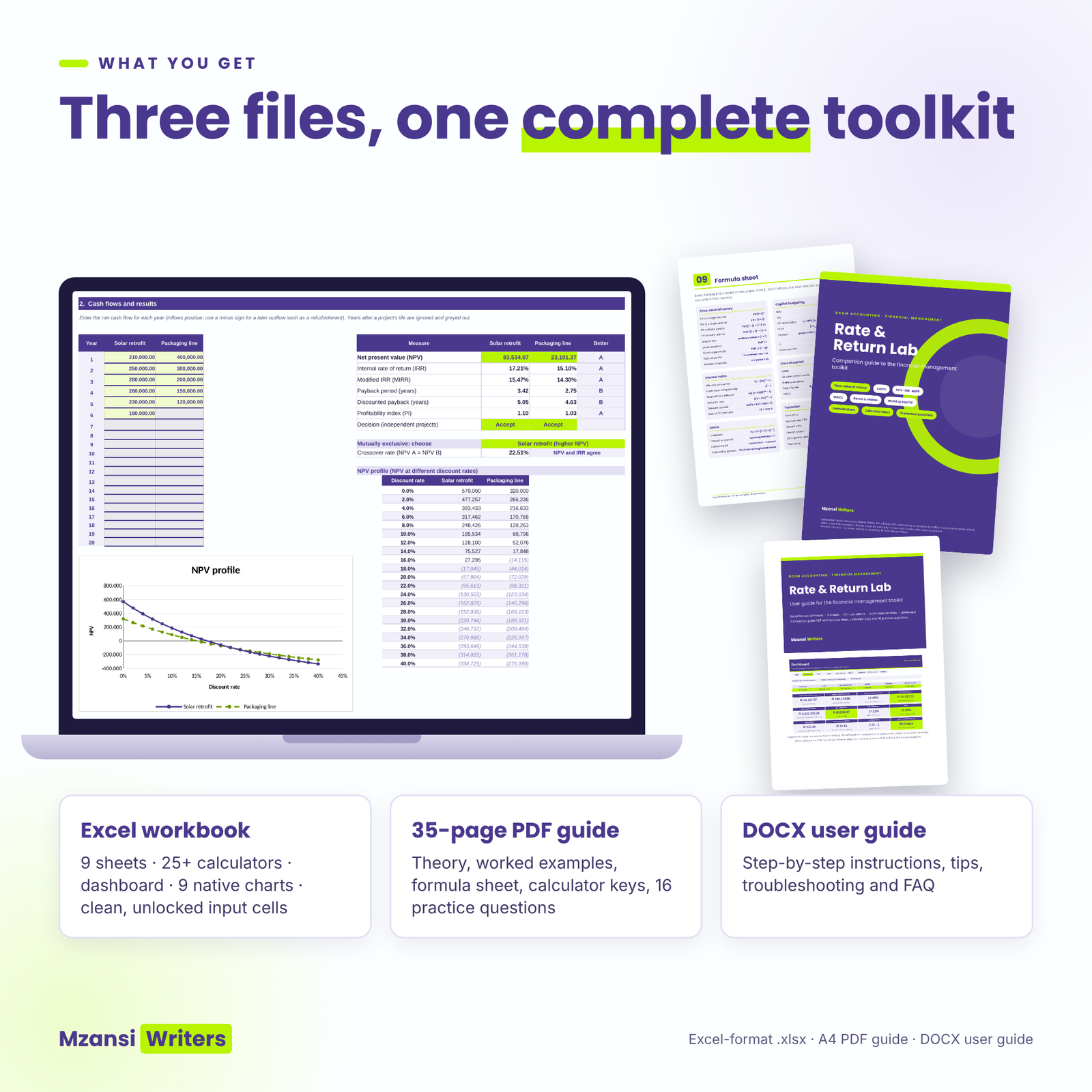
- Rate-and-Return-Lab-Financial-Management-Toolkit.xlsx: the clean workbook with 9 sheets (Start, Dashboard, TVM, Loan, CapBudget, WACC, Valuation, WorkCap, Settings) and empty input cells, ready for your own questions.
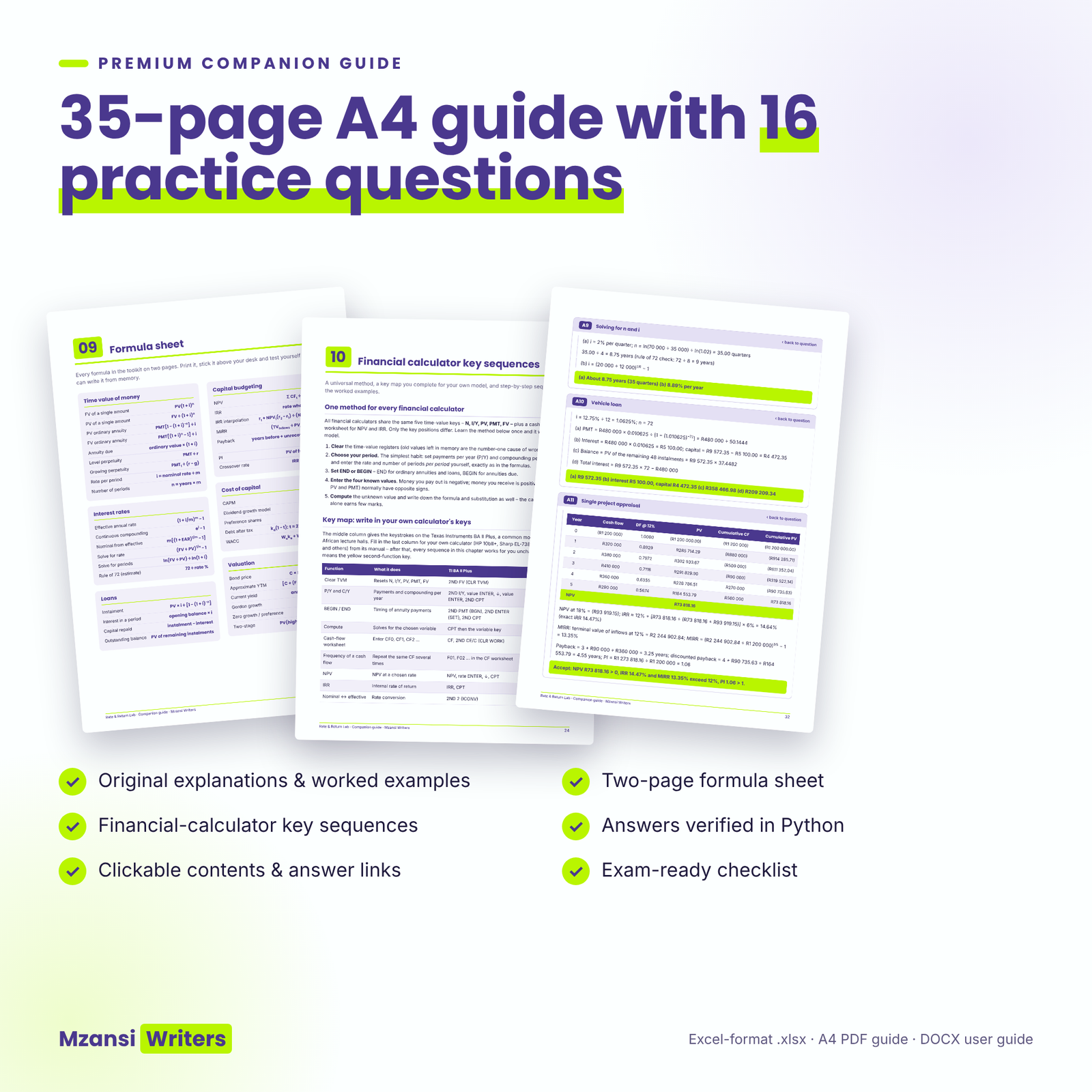
- Rate-and-Return-Lab-Companion-Guide.pdf: 35 A4 pages with original explanations, worked examples that match the workbook, a formula sheet, financial-calculator key sequences (including a key map you complete for your own calculator), 16 practice questions with fully worked answers and an exam checklist. The contents page and every question/answer link are clickable.
- Rate-and-Return-Lab-User-Guide.docx: a step-by-step user guide with screenshots, tips, troubleshooting and FAQs.
How it works
- Choose your currency and rounding on the Settings sheet.
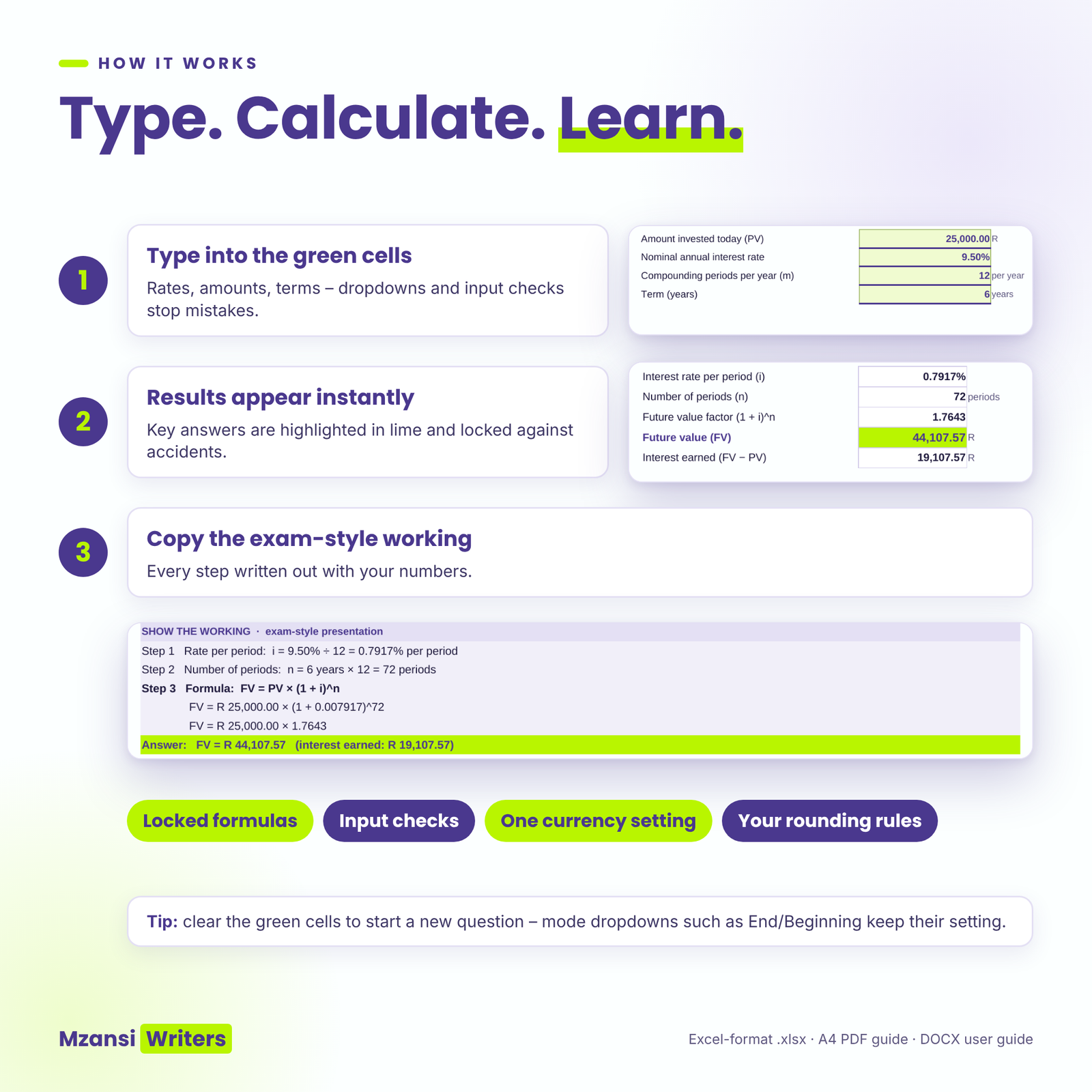
- Type your question’s figures into the light-green input cells. Dropdowns and input checks help you avoid mistakes, such as typing 12 when you mean 12%.
- Results appear instantly, and the key answer is highlighted in lime.
- Read the “Show the working” lines and compare them with your own answer.
Formula cells are locked without a password, so you cannot overwrite them by accident, but you can still unprotect a sheet to customise it.
Real situations where it helps
- Checking an assignment on NPV and IRR before you submit it.
- Working through past-paper style questions on WACC and bond valuation the week before a test.
- Seeing why the NPV and IRR of mutually exclusive projects disagree, using the crossover rate and NPV profile.
- Building a home-loan or vehicle-finance schedule and seeing what an extra R1 000 a month saves.
- Interpreting a company’s cash conversion cycle for a case study.
File formats and software requirements
Excel-format .xlsx, tested in LibreOffice Calc and built only with standard functions for Microsoft Excel and Google Sheets. There are no macros or add-ins. The guide is an A4 PDF that opens in any PDF reader and prints well, and the user guide is a Word (.docx) file. A laptop or desktop gives the best experience.
Customisation
You can change the currency symbol, the decimals in the working, the days in a year (365 or 360), the default tax rate, project names, column labels and ratio targets. Your name and module appear on the dashboard.
Digital download
This is a digital product and nothing is posted to you. Download the three files straight after purchase and keep a master copy of the clean workbook.
Frequently asked questions
Does the financial management toolkit work in Excel and Google Sheets?
It is an Excel-format .xlsx file, tested in LibreOffice Calc and built only with standard functions available in Microsoft Excel and Google Sheets. It has no macros.
Will it do my assignment for me?
It checks and explains your work. You still need to set out your own answers, and the working shows you how.
Is it based on my module’s study guide?
No. All explanations, examples and questions are original. The toolkit covers the standard financial management calculations in South African BCom Accounting programmes, but you should always follow your lecturer’s prescribed method and rounding.
Why does my answer differ by a few rand?
The workbook uses full precision, while factor tables are rounded. You can set the factor decimals in Settings to see the effect.
Does it include financial calculator steps?
Yes. The guide gives a method that works on any financial calculator, key-by-key steps for the TI BA II Plus and a key map you fill in for your own model.
Can I share it with my study group?
No. The licence covers personal use by the buyer only.
Disclaimer and licence
Independent study resource by Mzansi Writers. Not affiliated with, endorsed by or produced by UNISA or any other university, SAICA, SARS or the IFRS Foundation. Module codes are used only to show which syllabus this resource supports. This is a study aid, not financial advice. Personal use only: no resale, sharing, distribution or uploading to any website or group.


Reviews
There are no reviews yet.