
Description
MAC1501 study pack and calculator: learn it, practise it, check it
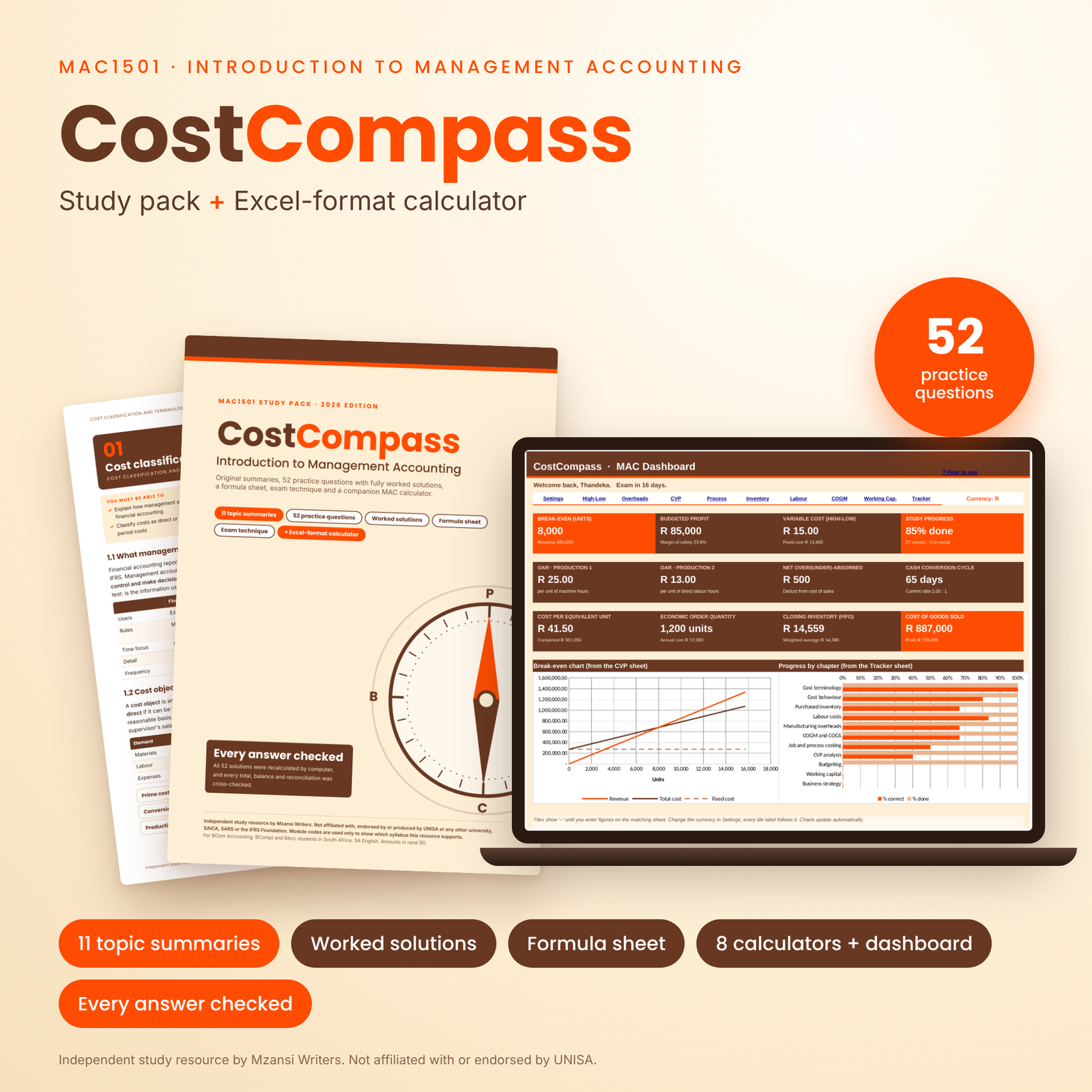
CostCompass is a complete MAC1501 study pack for Introduction to Management Accounting. It combines clear topic summaries, 52 original practice questions with fully worked solutions, and a companion Excel-format calculator that lets you check every step of your own working. It is built for South African BCom Accounting, BCompt and BAcc students who want to understand cost and management accounting, not just memorise it.
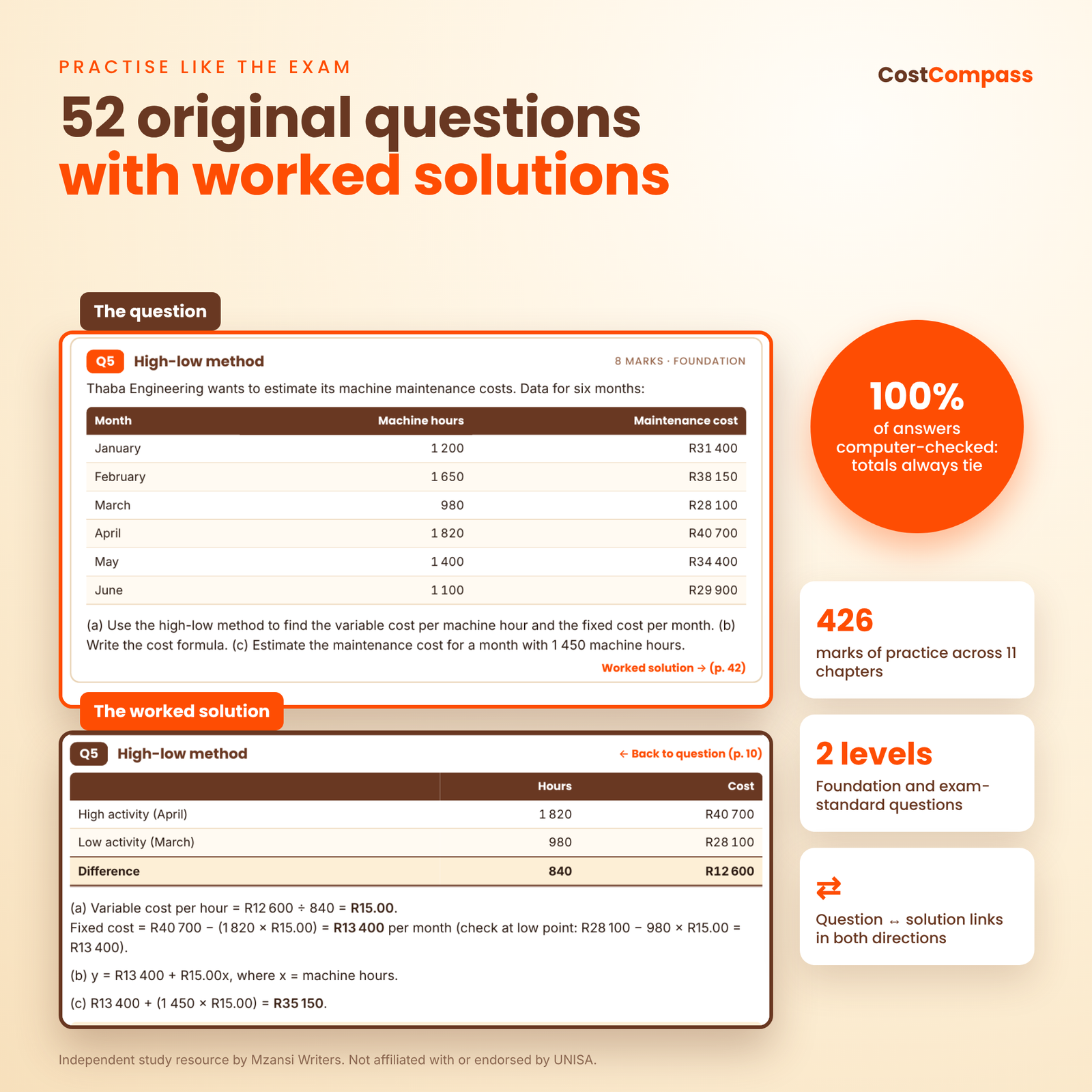
Most MAC1501 notes give you either theory or answers. CostCompass gives you both, then adds a calculator so you can find exactly where your method went wrong. Every number in every solution was recalculated and cross-checked by computer: totals tie, inventory issues plus closing inventory equal goods available, and process accounts balance.
What is included
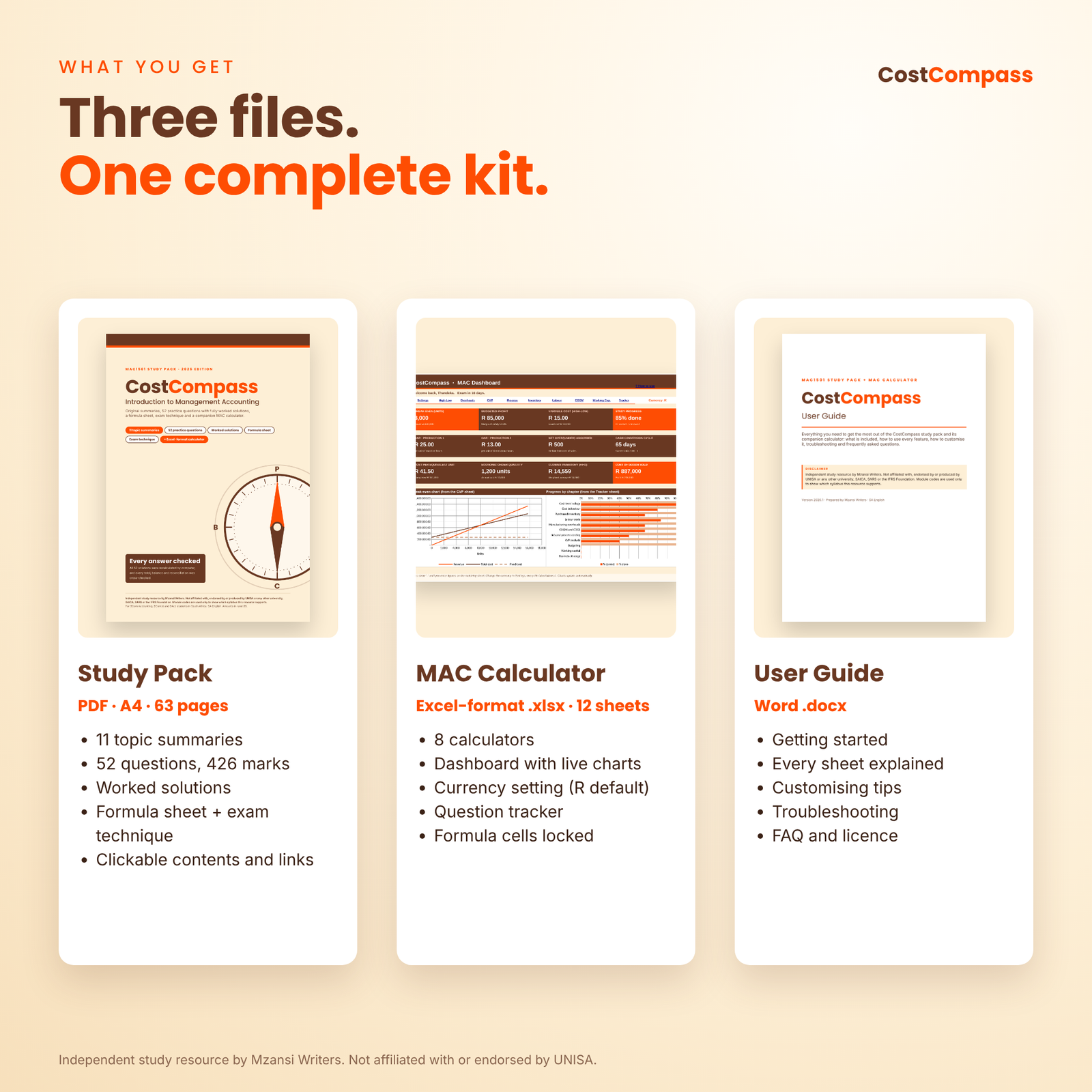
- CostCompass MAC1501 Study Pack: a 63-page A4 PDF with a clickable contents page, bookmarks and two-way links between every question and its solution.
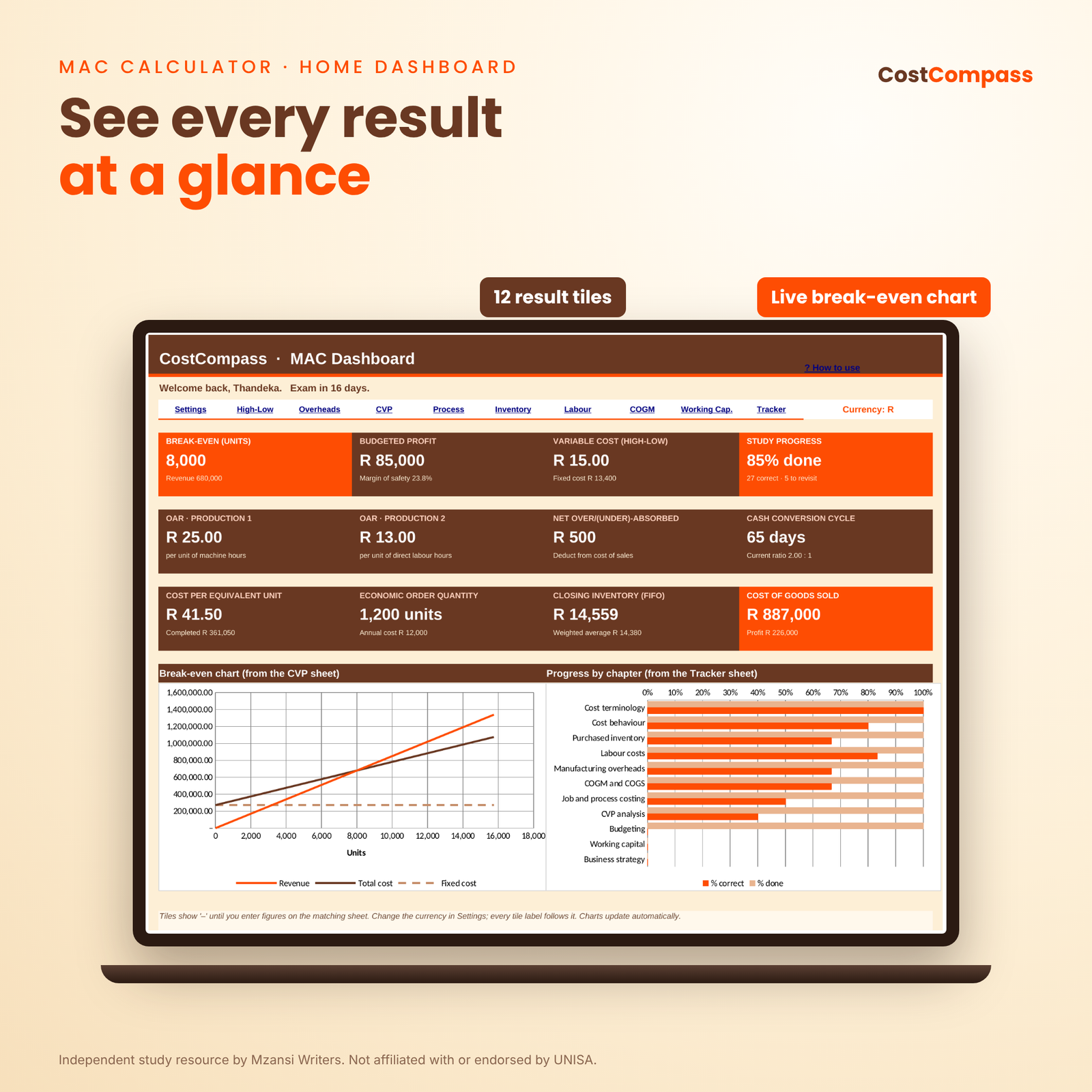
- CostCompass MAC Calculator: an Excel-format workbook with 12 sheets, including 8 calculators, a dashboard, a settings sheet and a progress tracker.
- User guide (Word .docx): how to use every feature, customising tips, troubleshooting and FAQs.
Topics covered in the MAC1501 study notes
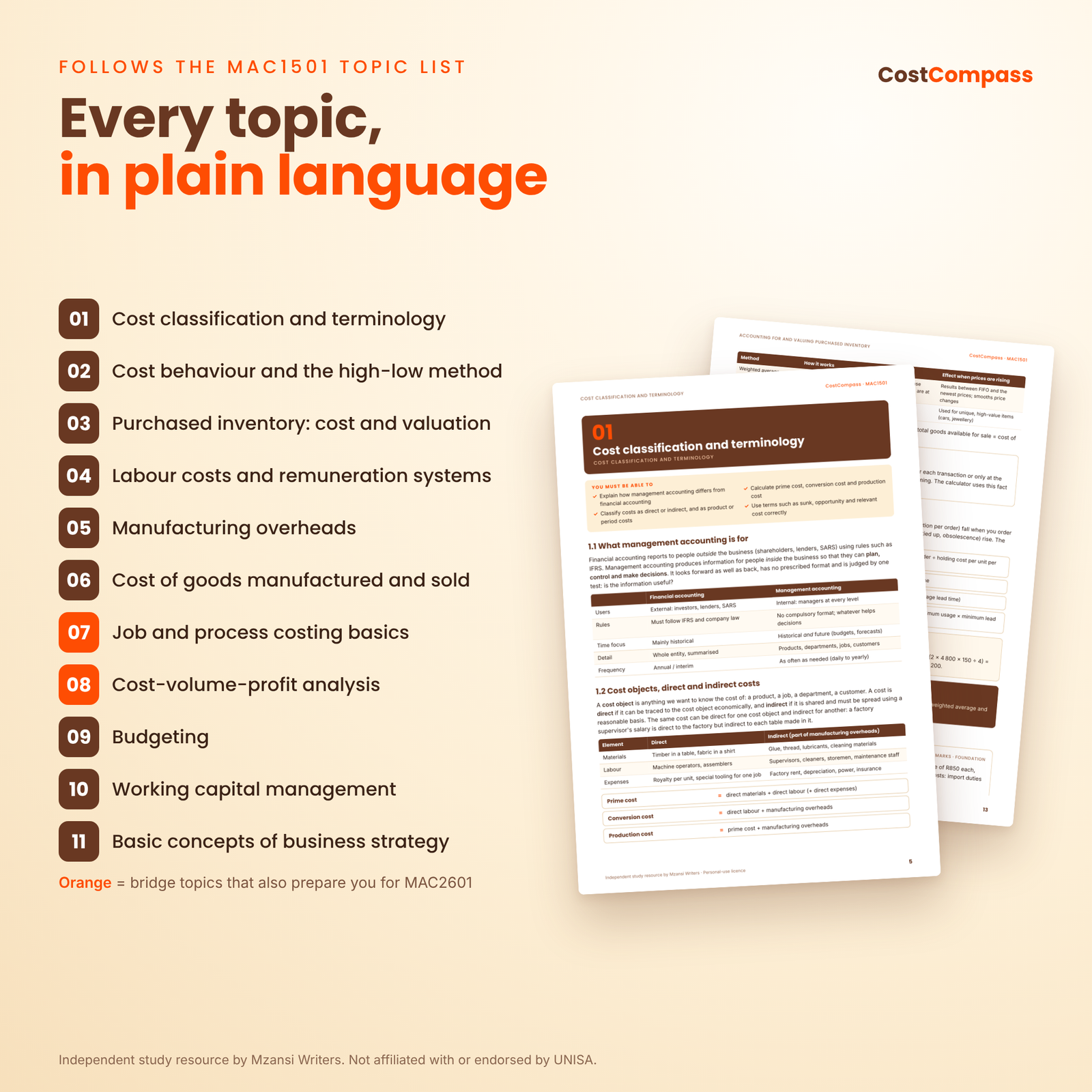
The chapters follow the MAC1501 topic list published by UNISA (checked November 2026), plus two bridge chapters that apply the same cost concepts and prepare you for MAC2601:
- Cost classification and terminology
- Cost behaviour and the high-low method (with step-fixed and inflation adjustments)
- Accounting for and valuing purchased inventory (cost of purchases, FIFO, weighted average, EOQ, reorder levels)
- Labour costs and remuneration systems (overtime premium, idle time, piece rates, Halsey and Rowan bonuses, labour turnover)
- Manufacturing overheads (allocation, apportionment, direct and step-down reapportionment, absorption rates, under- and over-absorption)
- Cost of goods manufactured and sold
- Job and process costing basics (bridge topic: mark-up and margin, equivalent units, normal and abnormal loss)
- Cost-volume-profit analysis (bridge topic: break-even, margin of safety, target profit, sales mix, operating leverage)
- Budgeting (sales, production, materials, labour, cash and flexible budgets)
- Working capital management (cash conversion cycle, liquidity ratios, settlement discounts)
- Basic concepts of business strategy (SWOT, PESTEL, Porter’s generic strategies, balanced scorecard)
Features of the study pack
- Plain-language summaries with tables, formulas, key ideas and short worked examples.
- “You must be able to” outcomes at the start of every chapter, so you know what the examiner expects.
- Exam traps flagged in every chapter, such as choosing high-low points on cost instead of activity, or moving all overtime pay to overheads.
- 52 practice questions at Foundation and Exam-standard level, from classification and high-low through overhead analysis sheets, COGM statements, process costing, cash budgets and working capital.
- Worked solutions laid out the way markers expect, with an answer line for quick checking.
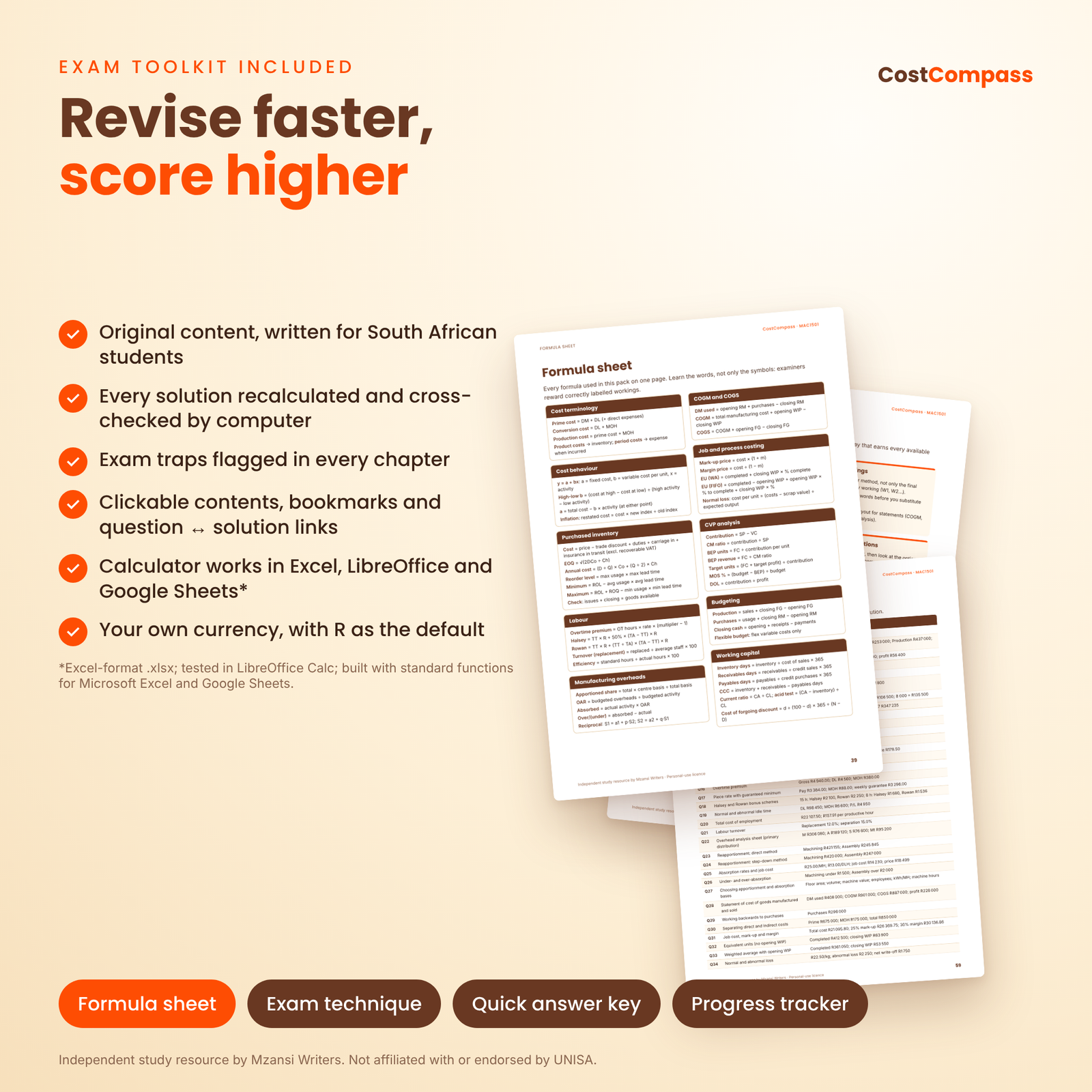
- Formula sheet, exam-technique page, quick answer key and printable progress tracker.
Features of the MAC calculator (Excel-format .xlsx)
- Home dashboard with 12 result tiles, a live break-even chart and a progress-by-chapter chart.
- High-Low: up to 12 periods, step-fixed and cost-index options, scatter chart and a trap check.
- Overheads: 10 overhead lines, basis dropdowns, direct, step-down and reciprocal reapportionment side by side, absorption rates and under/over-absorption.
- CVP: break-even, margin of safety, target profit, operating leverage, price sensitivity and a 4-product sales-mix break-even.
- Process: equivalent units by weighted average or FIFO, with a reconciliation check and a normal/abnormal loss tool.
- Inventory: cost of purchases, EOQ, reorder levels and a 20-line inventory card valued at weighted average and FIFO.
- Labour, COGM and Working Capital calculators, plus a Tracker for all 52 questions.
- Locked formula cells (no password), dropdowns, input checks and green/red checks so you never see error codes.
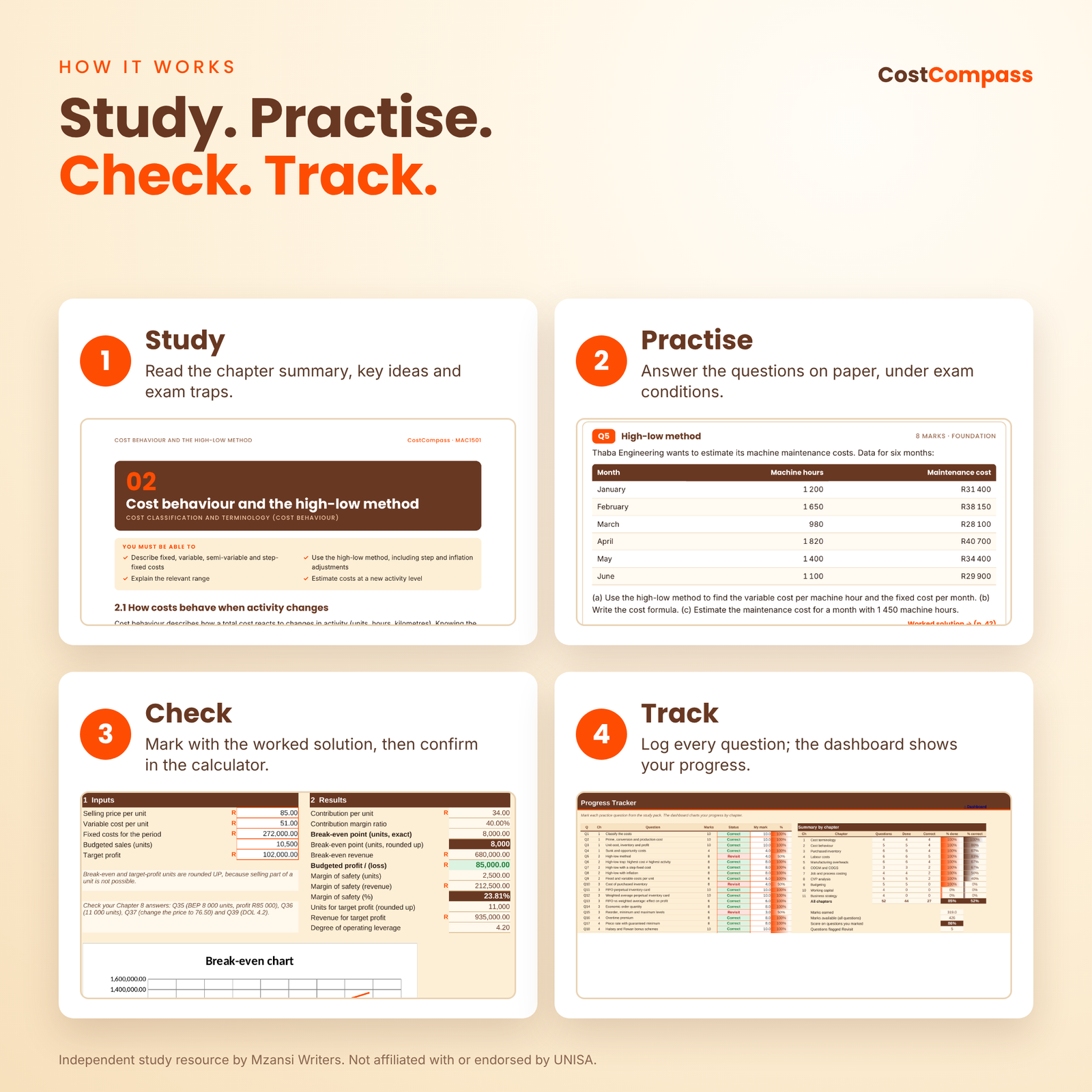
How it works
- Study the chapter summary and its exam traps.
- Practise the questions on paper, under exam conditions.
- Check your work against the worked solution, then type the figures into the matching calculator sheet to confirm every step.
- Track your progress in the Tracker sheet and redo every question flagged “Revisit”.
Who this MAC1501 resource is for
- First-year students taking MAC1501 or a similar introductory management or cost accounting module.
- Repeat students who want structured practice with reliable answers.
- Students preparing for MAC2601 who need a solid foundation in cost behaviour, overheads, process costing and CVP.
- Tutors and study-group leaders who want worked examples for their own preparation (personal-use licence only).
Real ways students use it
- Checking an overhead analysis sheet before submitting an assignment.
- Drilling high-low, FIFO and weighted average questions the week before the exam.
- Testing “what if” questions in CVP, such as the effect of a 10% price cut on break-even.
- Revising the night before with the formula sheet and quick answer key.
File formats and software requirements
- Study pack: PDF (A4), opens in any PDF reader on a phone, tablet or computer. Fonts are embedded.
- Calculator: Excel-format .xlsx; tested in LibreOffice Calc; built with standard functions for Microsoft Excel and Google Sheets.
- User guide: Word .docx.
Customisation
Choose your currency symbol once on the Settings sheet (R is the default) and every money label and dashboard tile follows it. Rename departments and apportionment bases, add your name and exam date for a dashboard countdown, and clear the white input cells to start again at any time.
Digital download
This is a digital product. No physical item is posted. After payment you can download the PDF study pack, the calculator workbook and the user guide immediately.
Frequently asked questions
Is this official UNISA MAC1501 material?
No. CostCompass is an independent study resource by Mzansi Writers. It supports the MAC1501 syllabus but does not replace your tutorial letters or prescribed material.
Are the questions copied from past papers or other notes?
No. All explanations, examples and questions are original, written by Mzansi Writers, with fictitious company names and figures.
How do I know the answers are correct?
Every calculation was computed and cross-checked by computer, and the calculator was tested against the same answers.
Do I need Microsoft Excel?
No. The workbook is Excel-format .xlsx, tested in LibreOffice Calc (free) and built with standard functions for Microsoft Excel and Google Sheets.
Can I use it on my phone?
Yes, the PDF reads well on a phone. The calculator is easiest on a laptop or tablet, but also opens in the Excel or Google Sheets app.
Does it cover CVP and process costing?
Yes. They are included as bridge chapters with questions, because they build on MAC1501 cost concepts and are core to MAC2601.
Can I share it with my study group?
No. The licence is for one buyer’s personal study only. Reselling, sharing or uploading the files (for example to Stuvia, Scribd or WhatsApp groups) is not allowed.
Independent study resource by Mzansi Writers. Not affiliated with, endorsed by or produced by UNISA or any other university, SAICA, SARS or the IFRS Foundation. Module codes are used only to show which syllabus this resource supports.


Reviews
There are no reviews yet.