Description
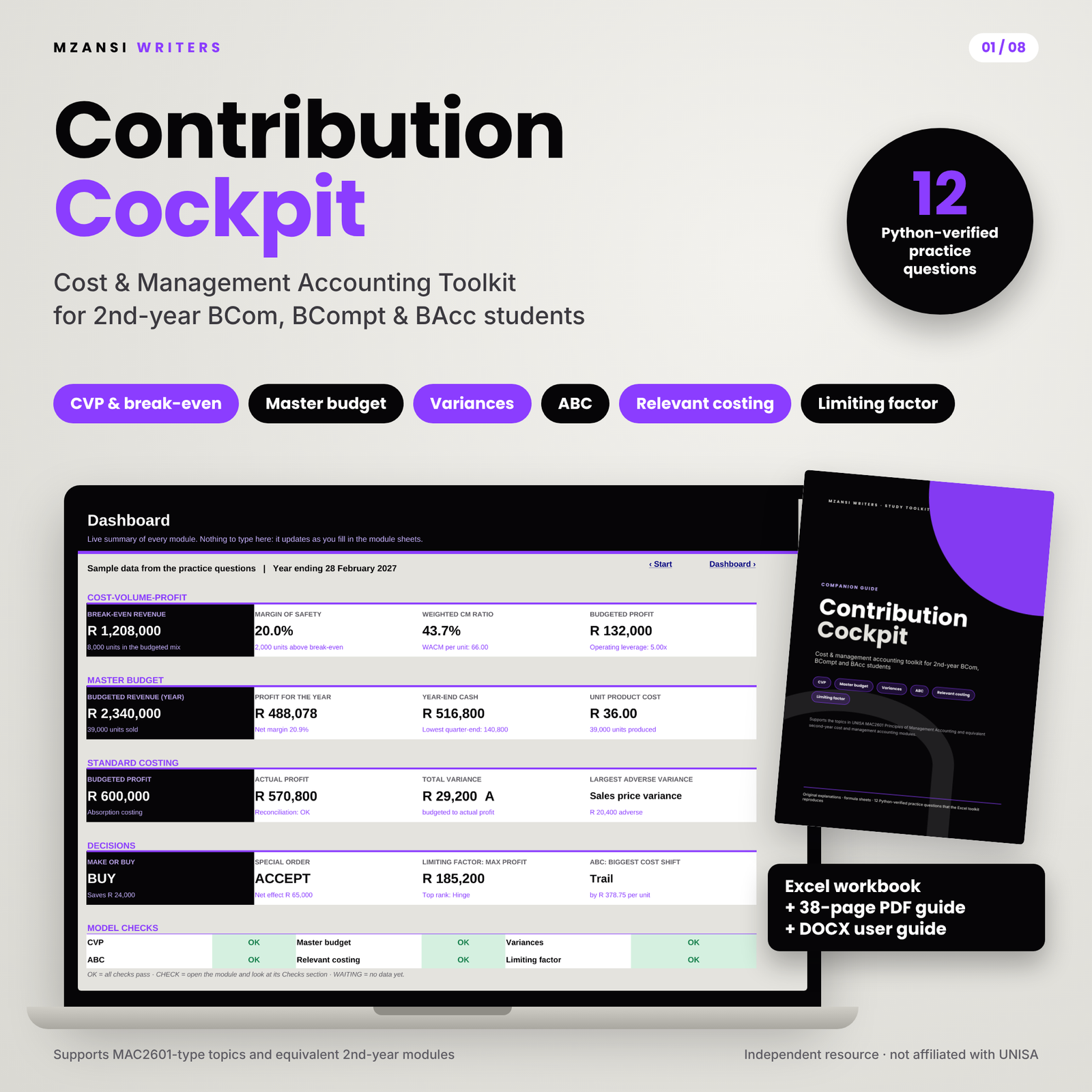
Contribution Cockpit is a cost and management accounting toolkit for second-year BCom Accounting, BCompt and BAcc students. It pairs a 10-sheet Excel workbook with a 38-page companion guide, so you can learn a technique, practise it on an exam-style question and then check every line of your working in seconds. It covers the planning, control and decision-making topics in UNISA’s MAC2601 Principles of Management Accounting and equivalent second-year modules at other South African universities.
What this cost and management accounting toolkit does
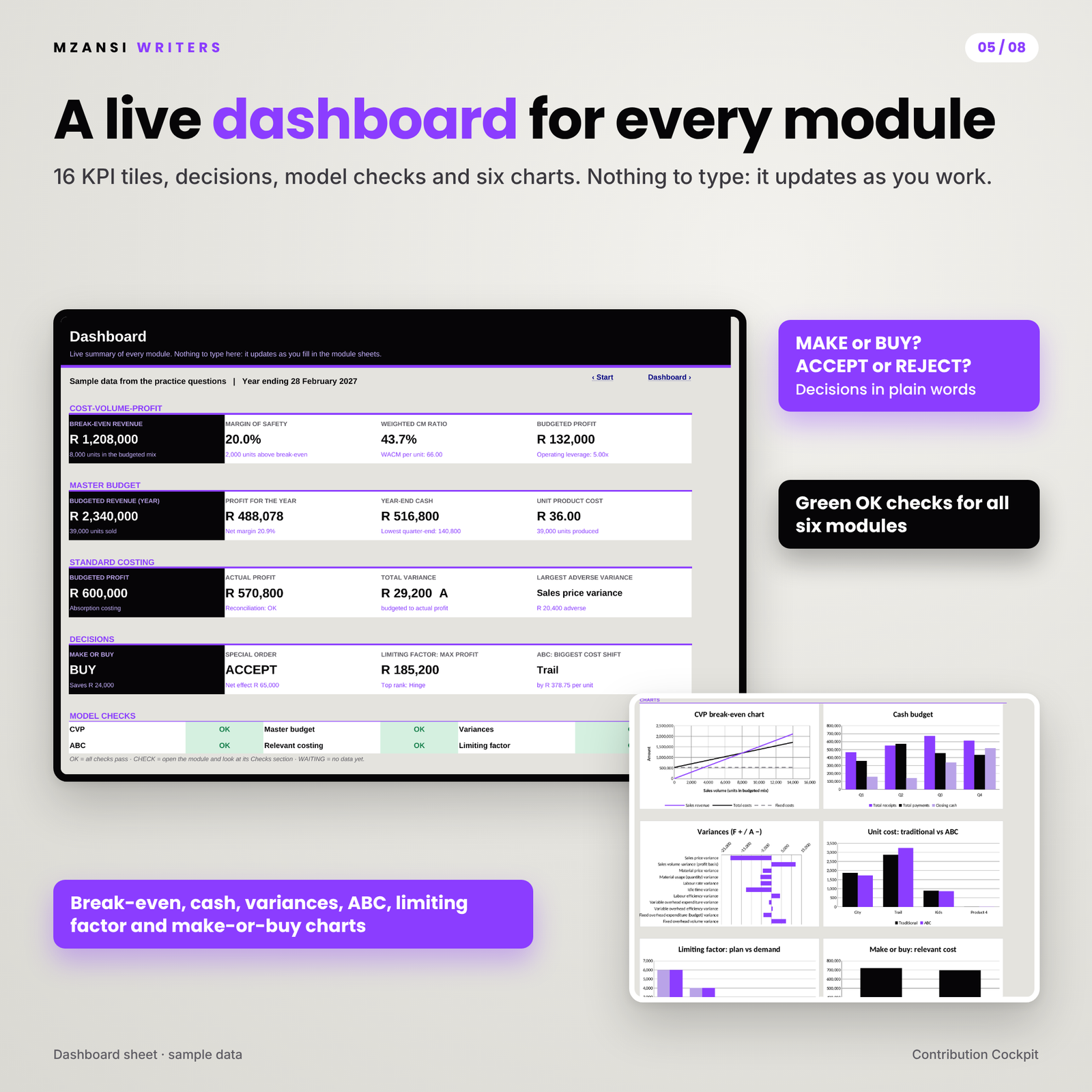
Management accounting questions are long, and one wrong figure early on spoils everything after it. Contribution Cockpit lays out every calculation the way a memo does, line by line, and tests itself as it goes. Type the question data into the white input cells and the workbook prepares the full solution, flags anything that does not add up and summarises the result on a live dashboard.
Who it is for
- Second-year BCom Accounting, BCompt and BAcc students preparing for assignments, tests and exams
- Students repeating a management accounting module who want to see exactly where their method goes wrong
- Tutors and study groups who need a fast, reliable way to check memo answers
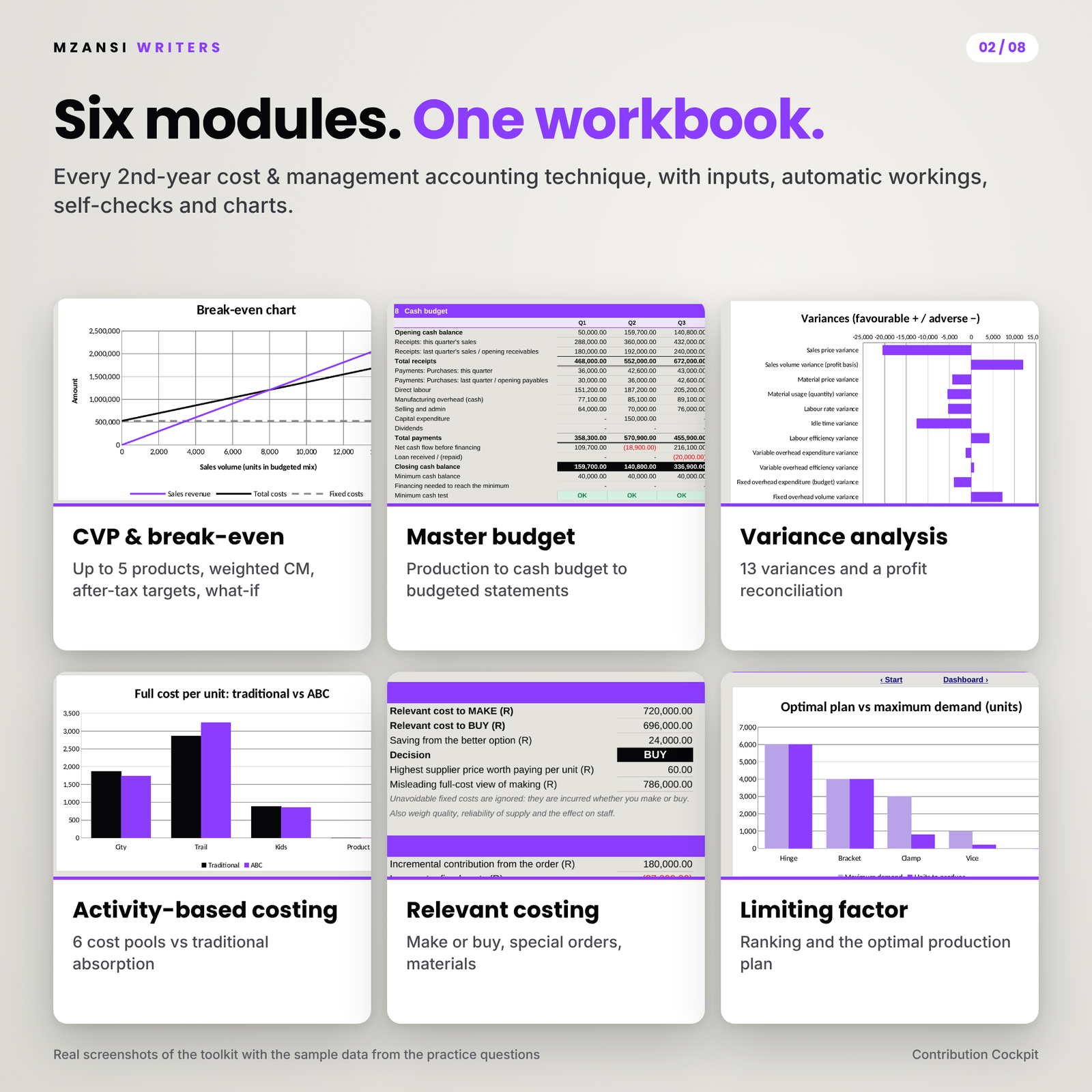
Six modules in one Excel workbook
Cost-volume-profit analysis
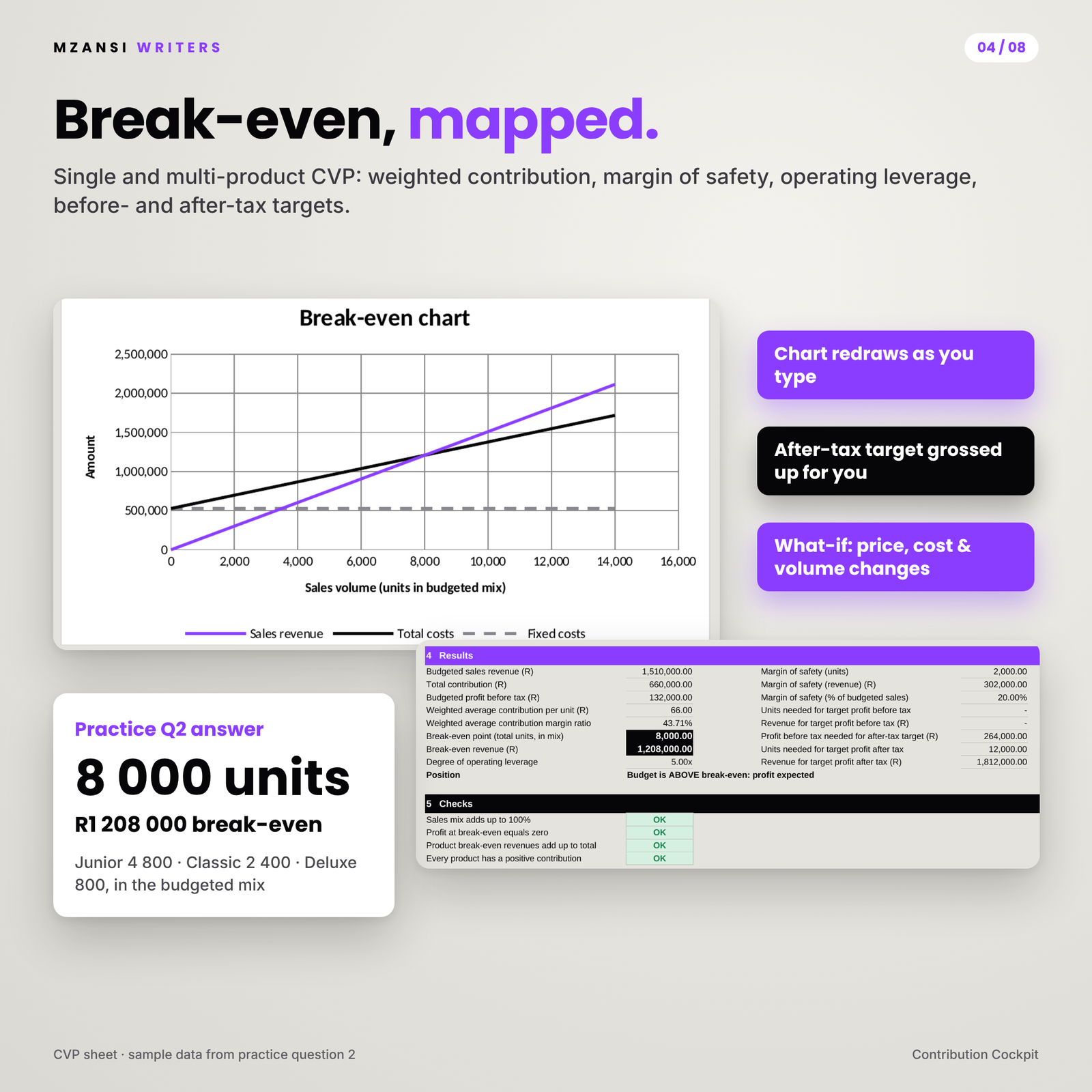
Single or multi-product break-even (up to five products) using the weighted average contribution, margin of safety in units, rand and percentage, degree of operating leverage, units for a target profit before or after tax, a what-if panel for price, cost and volume changes, and a break-even chart that redraws as you type.
Master budget
Sales, production, materials usage and purchases, direct labour, manufacturing overhead and selling and admin budgets for four quarters, plus the unit product cost, a cash budget with a minimum-balance test, and a budgeted statement of profit or loss and statement of financial position that must balance.
Standard costing and variance analysis
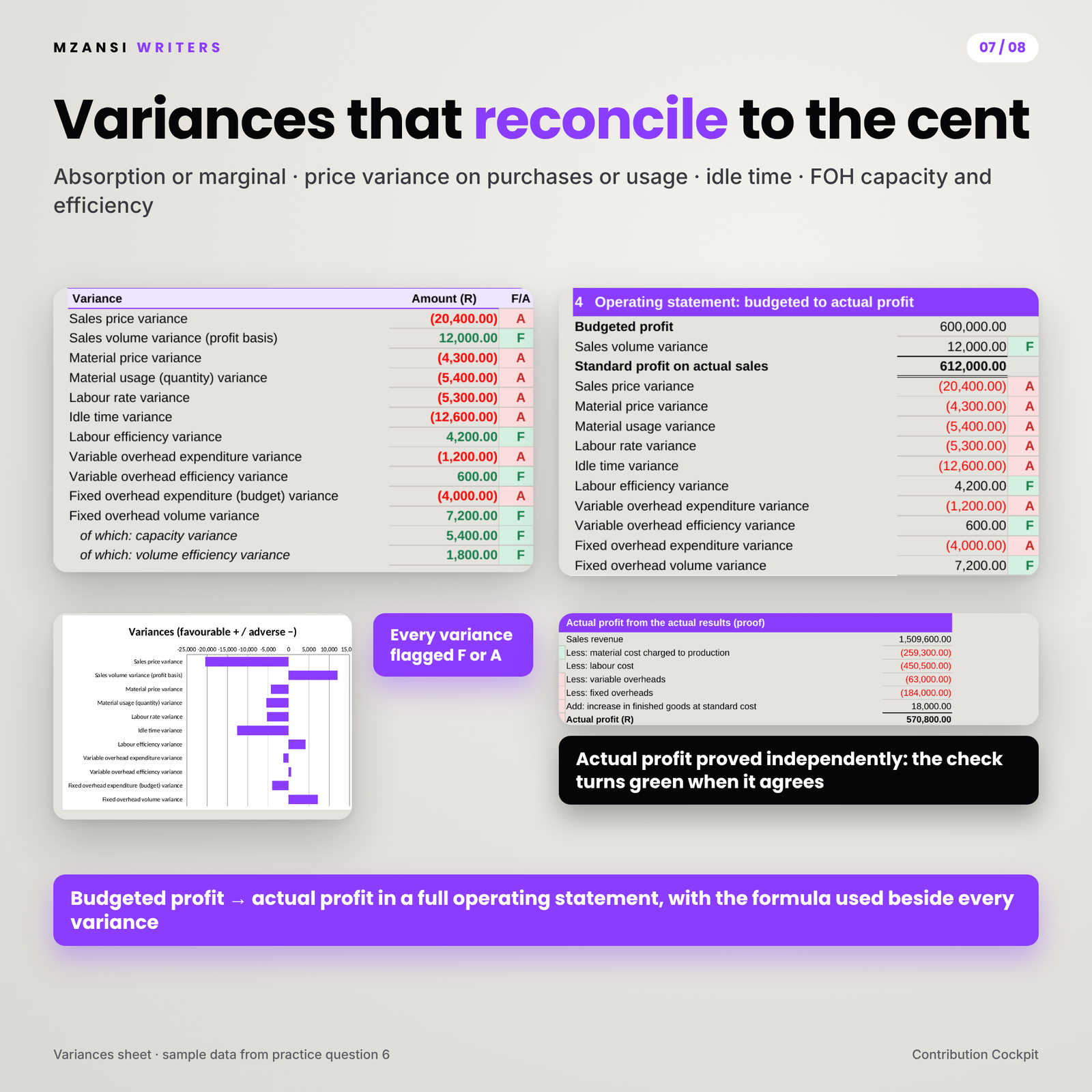
A standard cost card and thirteen variances: sales price and volume, material price and usage, labour rate, idle time and efficiency, variable overhead expenditure and efficiency, and fixed overhead expenditure and volume, split into capacity and efficiency. Choose absorption or marginal costing, and a material price variance on purchases or usage. The operating statement reconciles budgeted profit to actual profit, and a separate proof calculates actual profit from the actual results.
Activity-based costing
Up to six activity cost pools and four products. Cost driver rates, overheads charged to each product, and unit costs and margins compared with traditional absorption on labour hours, machine hours or units, with each product labelled under-costed or over-costed.
Relevant costing
Make or buy (with avoidable costs and opportunity cost), special orders (with spare capacity and displaced sales) and the relevant cost of materials using replacement cost, scrap value and alternative use. Decision cells give the answer in plain words, such as BUY or ACCEPT.
Limiting factor analysis
Contribution per unit of the scarce resource, automatic ranking, minimum contract quantities and the optimal production plan with maximum profit.
Main benefits
- Find your mistakes fast: compare your hand working with the toolkit line by line.
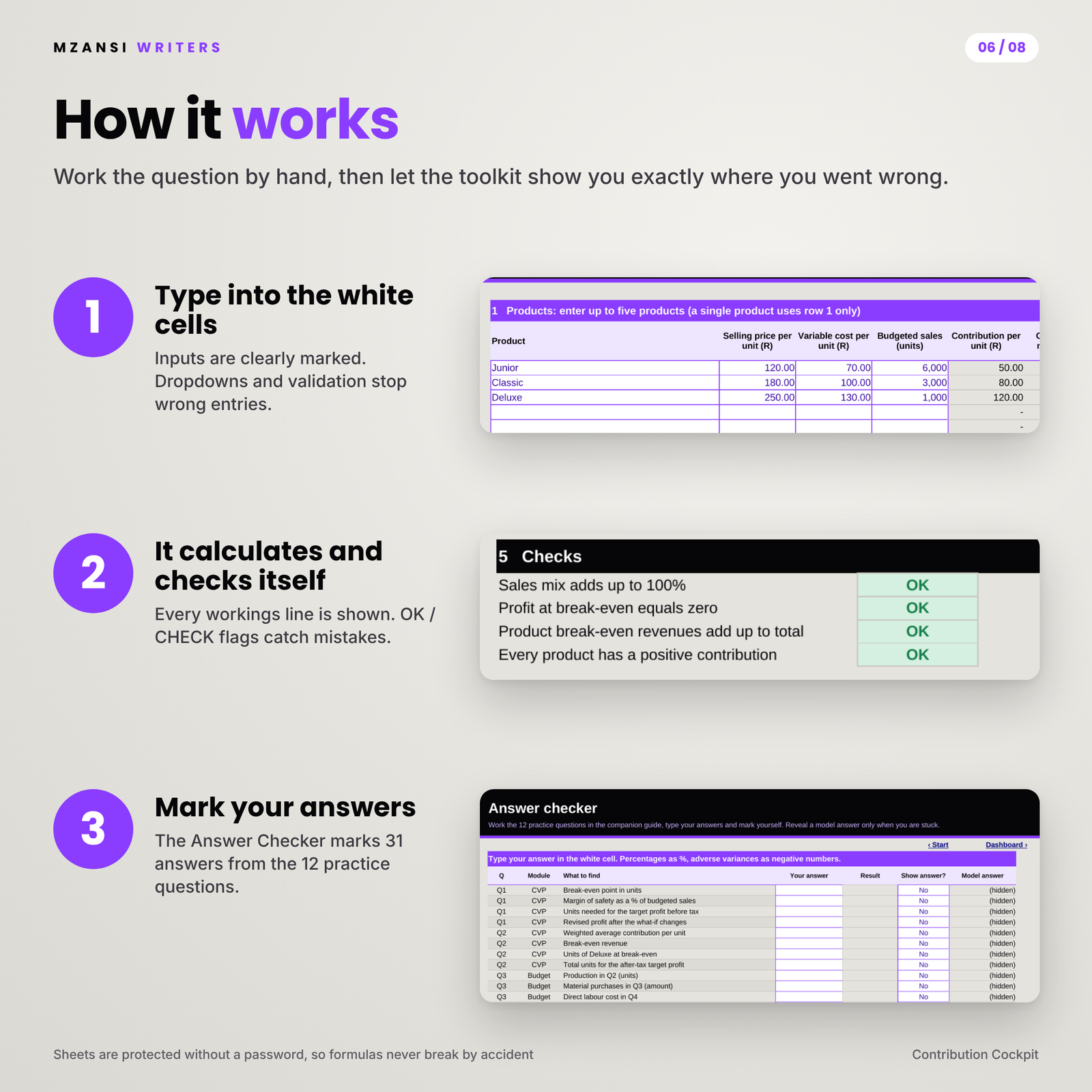
- Trust the numbers: every module has self-checks that show OK, CHECK or WAITING.
- Learn the method, not just the answer: variance formulas are shown beside each result, and the guide explains the reasoning and the common exam traps.
- Practise properly: 12 original questions with full solutions and a self-marking Answer Checker that marks 31 answers.
What is included
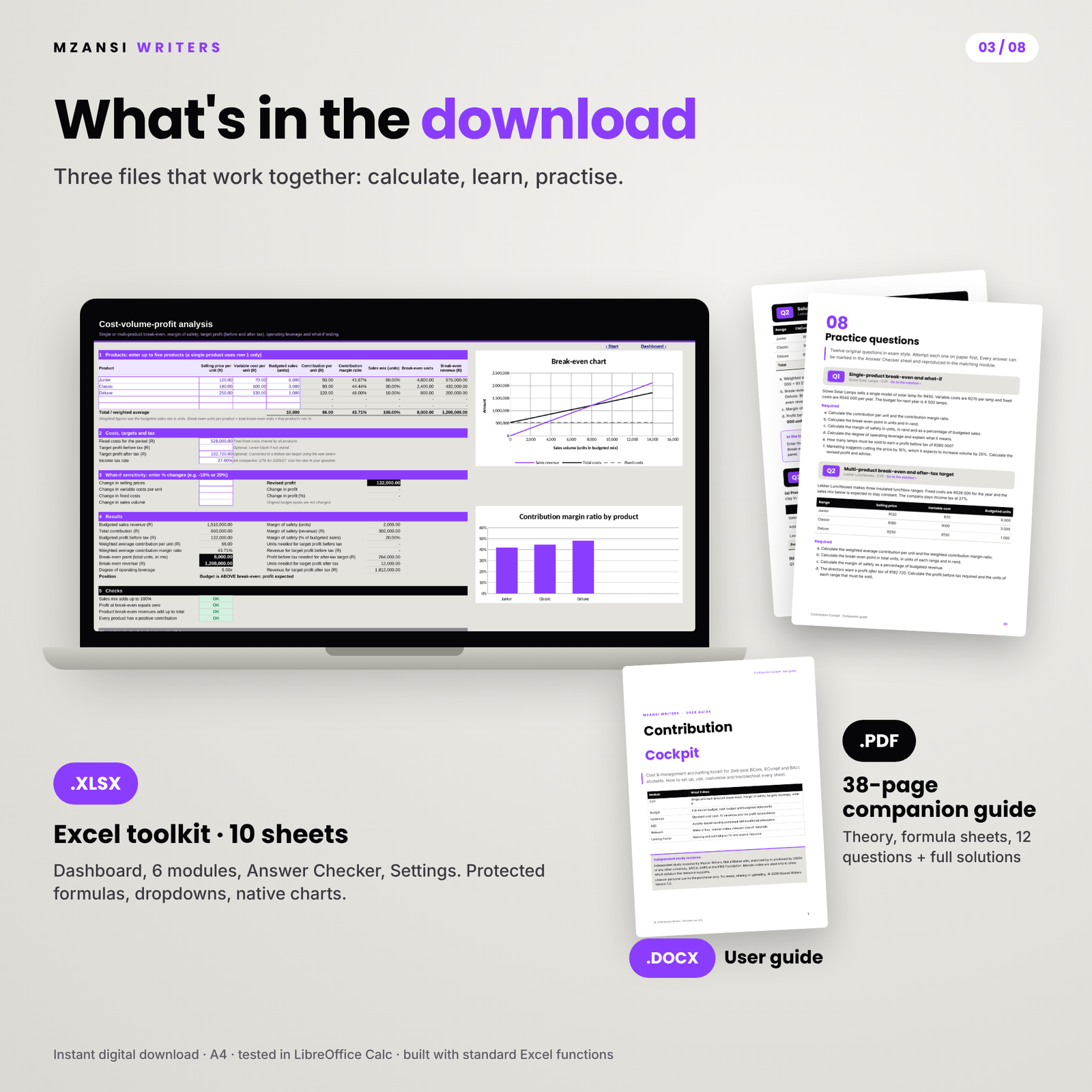
- Contribution-Cockpit-Toolkit.xlsx: Start, Dashboard, CVP, Budget, Variances, ABC, Relevant, Limiting Factor, Answer Checker and Settings sheets
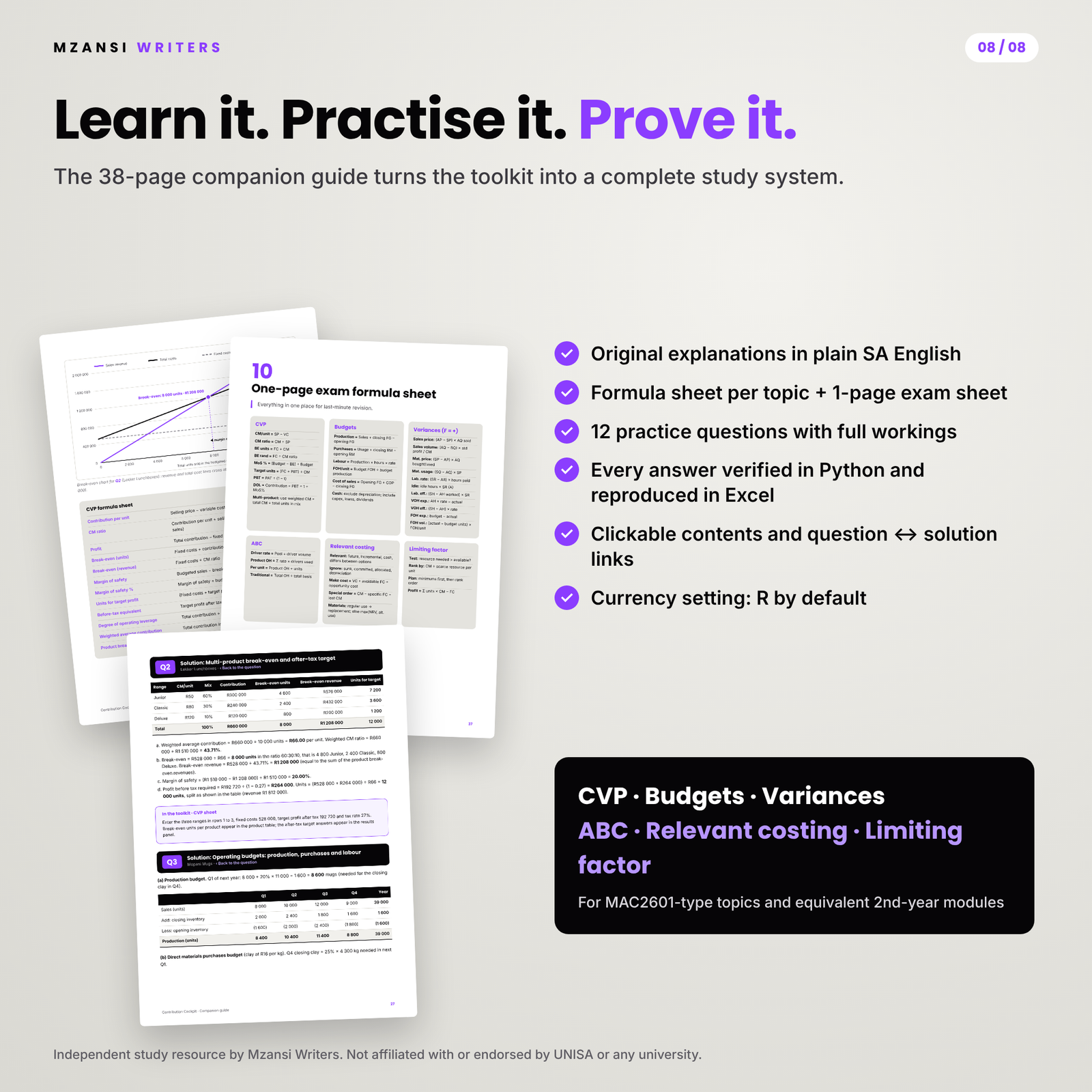
- Contribution-Cockpit-Companion-Guide.pdf: 38 A4 pages of theory in plain language, a formula sheet for every topic, exam traps, 12 practice questions with full workings, a one-page exam formula sheet and a glossary, with clickable contents and question-to-solution links
- Contribution-Cockpit-User-Guide.docx: setup, how to use every sheet, customisation, troubleshooting and FAQ
How it works
- Open the workbook and choose your currency symbol on the Settings sheet (R is the default).
- Pick the module for your question and type only in the white cells with a purple border.
- Read the full workings, the decision and the checks. The Dashboard updates automatically.
- Mark your practice answers in the Answer Checker, and reveal a model answer only when you are stuck.
Every answer in the companion guide was calculated in Python and then reproduced in the workbook, so the two always agree. Each solution ends with an “In the toolkit” box that tells you exactly what to enter.
File formats and software requirements
Excel-format .xlsx; tested in LibreOffice Calc; built with standard functions for Microsoft Excel and Google Sheets. A computer is recommended for data entry. The guide is an A4 PDF that opens in any PDF reader, and the user guide is a Word .docx file.
Customisation
Change the currency symbol once and every money heading and dashboard tile updates. Rename budget quarters, products, activities and materials. Sheets are protected without a password, so formulas are safe from accidental typing, but you can unprotect any sheet to adapt it. Every sheet is set up to print on A4.
Digital download
This is a digital product. You receive three files (the toolkit, the companion guide and the user guide) to download straight after payment. No physical item is posted.
Use cases
- Checking a CVP or budgeting assignment before you submit it
- Working through a variance question from a past test and finding the exact line where your answer drifted
- Revising with the one-page formula sheet the night before an exam
- Running a study group session where everyone attempts a question and the toolkit marks it
FAQ
Is this the official UNISA MAC2601 material?
No. It is an independent study resource written by Mzansi Writers. The module code only shows which syllabus it supports.
Will it help if I study at another university?
Yes. These topics are standard in second-year cost and management accounting across South Africa, and settings such as absorption or marginal costing let you match your lecturer’s method.
Can I use it in the exam?
Usually not, because most exams do not allow spreadsheets. Use it to prepare, practise and check assignments.
Does it work on a Mac or in Google Sheets?
The file uses only standard functions found in Excel for Windows and Mac, LibreOffice and Google Sheets. It was tested in LibreOffice Calc. Charts may look slightly different in Google Sheets.
Why is the workbook empty?
So you can use it for your own questions straight away. The 12 practice questions in the guide show every module working, with instructions on what to enter.
Which tax rate does it use?
Whatever rate your question gives. For South African companies the 2026/27 rate is 27%, which the practice questions use.
Licence and disclaimer
Licence: personal study use by the purchaser only. You may not resell, share, upload or distribute the files, in whole or in part.
Independent study resource by Mzansi Writers. Not affiliated with, endorsed by or produced by UNISA or any other university, SAICA, SARS or the IFRS Foundation. Module codes are used only to show which syllabus this resource supports.


Reviews
There are no reviews yet.