





Description
Rands & Rebates 2026/27 is an SA income tax study pack and calculator for second-year taxation students. It combines a 53-page A4 PDF of original summaries and practice questions with an Excel-format Individual Income Tax Calculator, all updated to the SARS figures for the 2026/27 tax year (the 2027 year of assessment, 1 March 2026 to 28 February 2027). Whether you are preparing for UNISA TAX2601 Principles of Taxation or a similar module at another South African university, it gives you the structure, practice and checking tools you need.
What this SA income tax study pack does
Income tax questions reward method. This pack teaches the taxable income pro-forma, explains each step in plain SA English, and then makes you practise it until it becomes automatic. The calculator lets you check your own workings line by line, so you find mistakes before the exam does.
Who it is for
- BCom Accounting, BCompt and BAcc students taking second-year taxation, including UNISA TAX2601.
- Students repeating the module who want reliable answers to practise against.
- Anyone who wants a quick, accurate reference for 2026/27 rates, rebates and thresholds.
Main benefits
- Answers you can trust: every numerical solution was calculated in code and tested before publication.
- Exam structure: the pro-forma, section references and presentation tips earn method marks.
- Up to date: 2026/27 tax table, rebates, thresholds, medical credits, R430 000 retirement cap and new CGT exclusions.
- Fast navigation: clickable contents, bookmarks and one-click links between each question and its solution.
What is included
1. The study pack (PDF, A4, 53 pages)
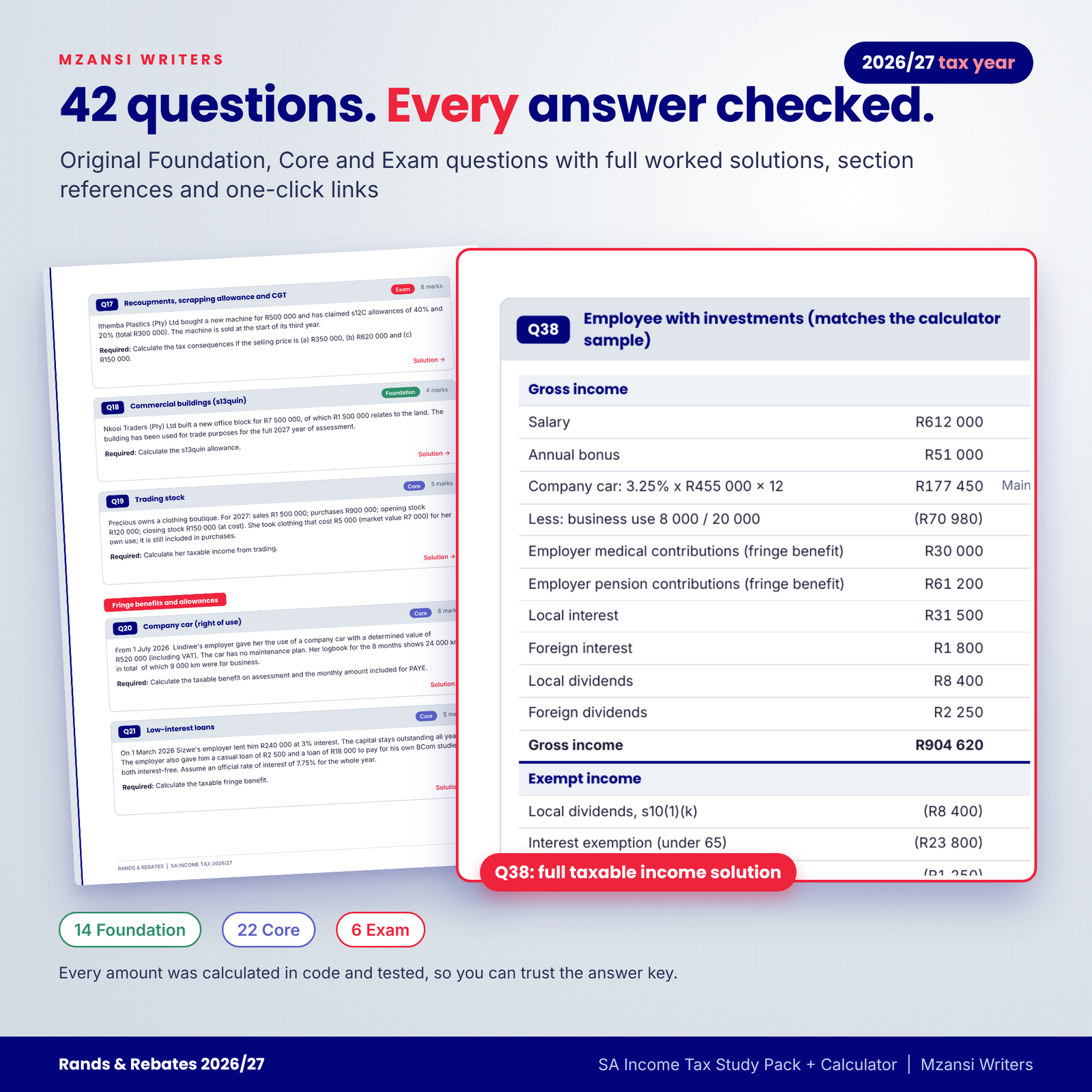
- 13 summary chapters: the tax system and residence, the taxable income pro-forma, gross income, special inclusions, exempt income, the general deduction formula and s23, special deductions and capital allowances (s11(e), s12C, s13quin, recoupments), fringe benefits and allowances, retirement fund contributions (s11F), medical tax credits (s6A and s6B), tax tables and rebates, capital gains tax basics and provisional tax.
- 42 original practice questions (14 Foundation, 22 Core, 6 Exam), including comprehensive taxable income questions for an employee, a retiree, a sole proprietor and companies.
- Full worked solutions with amounts, reasons, section references and key principles.
- 2026/27 rates pages: individual tax table, rebates, thresholds, medical credits, interest exemption, travel deemed-cost table, CGT, company, trust, SBC and lump-sum tables, with sources.
- One-page formula sheet, exam technique and common mistakes, a syllabus map and progress tracker, and a printable blank taxable income worksheet.
2. Individual Income Tax Calculator 2026/27 (.xlsx)
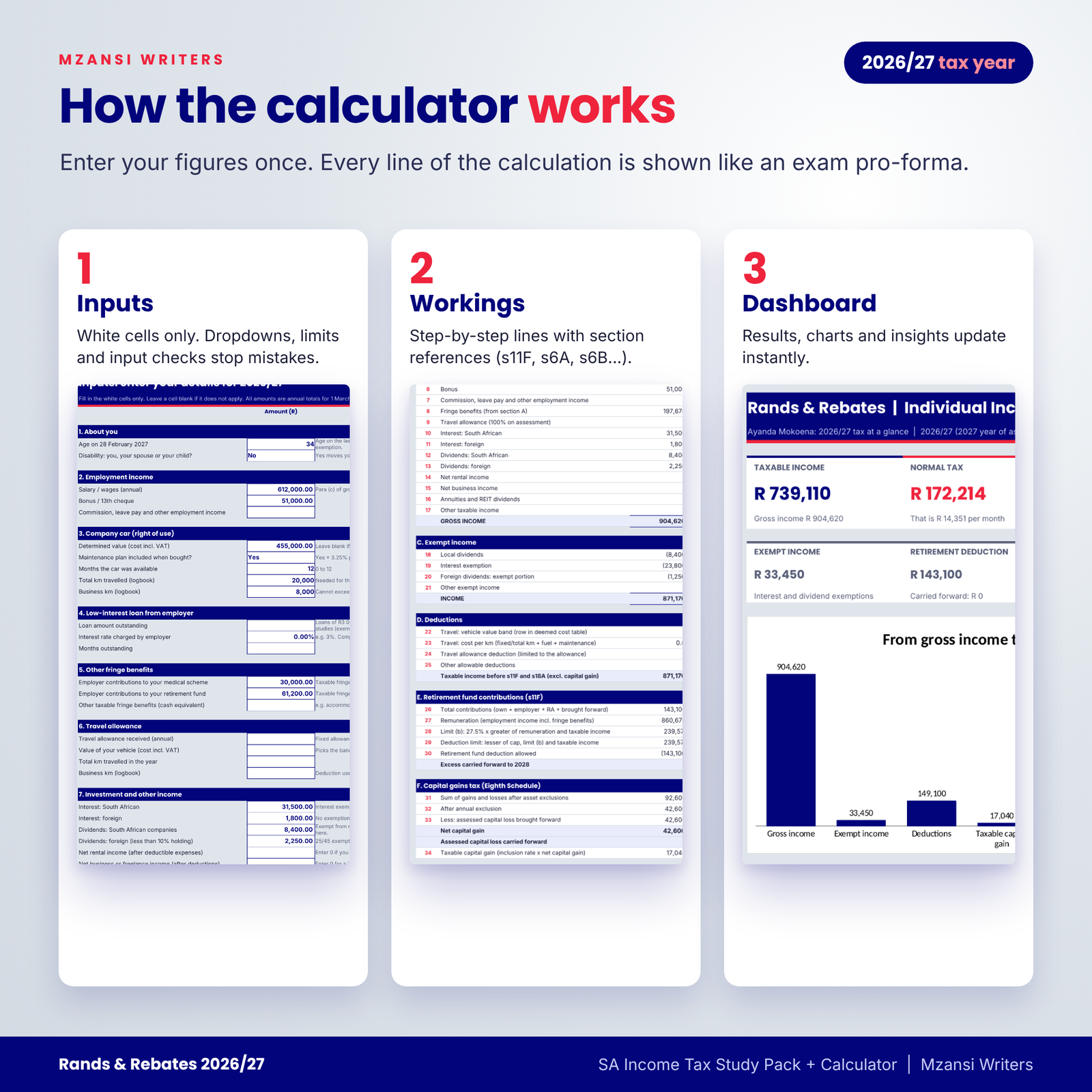
- Inputs for salary, bonus, company car, low-interest loans, employer medical and retirement contributions, travel allowance, interest, dividends, rental and business income, retirement contributions, donations, medical costs, PAYE, provisional tax and up to six capital gains disposals.
- Workings sheet laid out like an exam pro-forma with section references for every line.
- Dashboard with taxable income, normal tax, effective and marginal rates, a colour-coded refund or payable balance, three native charts and automatic insights.
- Rates sheet holding every 2026/27 figure, editable if SARS publishes a change.
- Rebates by age, medical scheme fees tax credit, additional medical expenses credit, s11F carry-forward and input checks.
3. User guide (DOCX)
A designed guide covering getting started, every feature, customising, tips, troubleshooting and FAQs.
How it works
- Read a summary chapter and its key boxes, exam tips and common traps.
- Attempt the linked practice questions, then click Solution to mark yourself.
- Open the calculator, enter a case on the Inputs sheet and compare the Workings with your own answer.
- Use the formula sheet and comprehensive questions for timed exam practice.
File formats and software requirements
- PDF (A4) with embedded fonts: opens in Adobe Acrobat Reader, Edge, Chrome, Xodo and other PDF readers on computers, tablets and phones.
- Excel-format .xlsx: tested in LibreOffice Calc; built with standard functions for Microsoft Excel and Google Sheets. No macros or add-ins.
- DOCX user guide: opens in Microsoft Word, LibreOffice Writer or Google Docs.
Customisation
The calculator has one currency-symbol setting (default R) that every amount label reads from, an optional name field, and an editable Rates sheet. Formula cells are locked to prevent accidents, but sheet protection has no password, so you can unprotect and adapt the layout. The PDF prints cleanly on A4, and the blank worksheet can be printed as often as you need.
Digital download information
This is a digital product. After payment you can download three files immediately: the PDF study pack, the calculator workbook and the user guide. Nothing physical is posted.
Use cases
- Weekly revision: one chapter and its questions per study session.
- Assignment checking: enter your figures in the calculator and compare every line.
- Exam week: the formula sheet, rates page and comprehensive questions under timed conditions.
- Tutor groups: each member uses their own copy to work through the same questions together.
Frequently asked questions
Which tax year is covered?
The 2026/27 tax year, which SARS calls the 2027 year of assessment (1 March 2026 to 28 February 2027).
Is this only for UNISA TAX2601?
No. It follows the TAX2601 purpose statement but covers the income tax topics most second-year SA modules examine.
Are the questions copied from past papers?
No. All notes, examples, questions and solutions are original.
Does the calculator work in Google Sheets?
It is built with standard functions for Microsoft Excel and Google Sheets and was tested in LibreOffice Calc. Charts may look slightly different after a Google Sheets import.
What if SARS changes a figure?
Update the white cells on the Rates sheet and every formula follows. Always use the figures in your own exam paper.
Can I use it for my own tax return?
It gives a study-level estimate for a resident individual for a full year. It is not tax advice and does not replace eFiling or a registered tax practitioner.
Can I share it with friends?
No. The licence is for the buyer’s personal use only.
Disclaimer and licence
Independent study resource by Mzansi Writers. Not affiliated with, endorsed by or produced by UNISA or any other university, SAICA, SARS or the IFRS Foundation. Module codes are used only to show which syllabus this resource supports. Licence: personal use only; no resale, sharing or uploading of the files.


Reviews
There are no reviews yet.